Detecting and Preventing Voice Phishing Scams
Project Overview
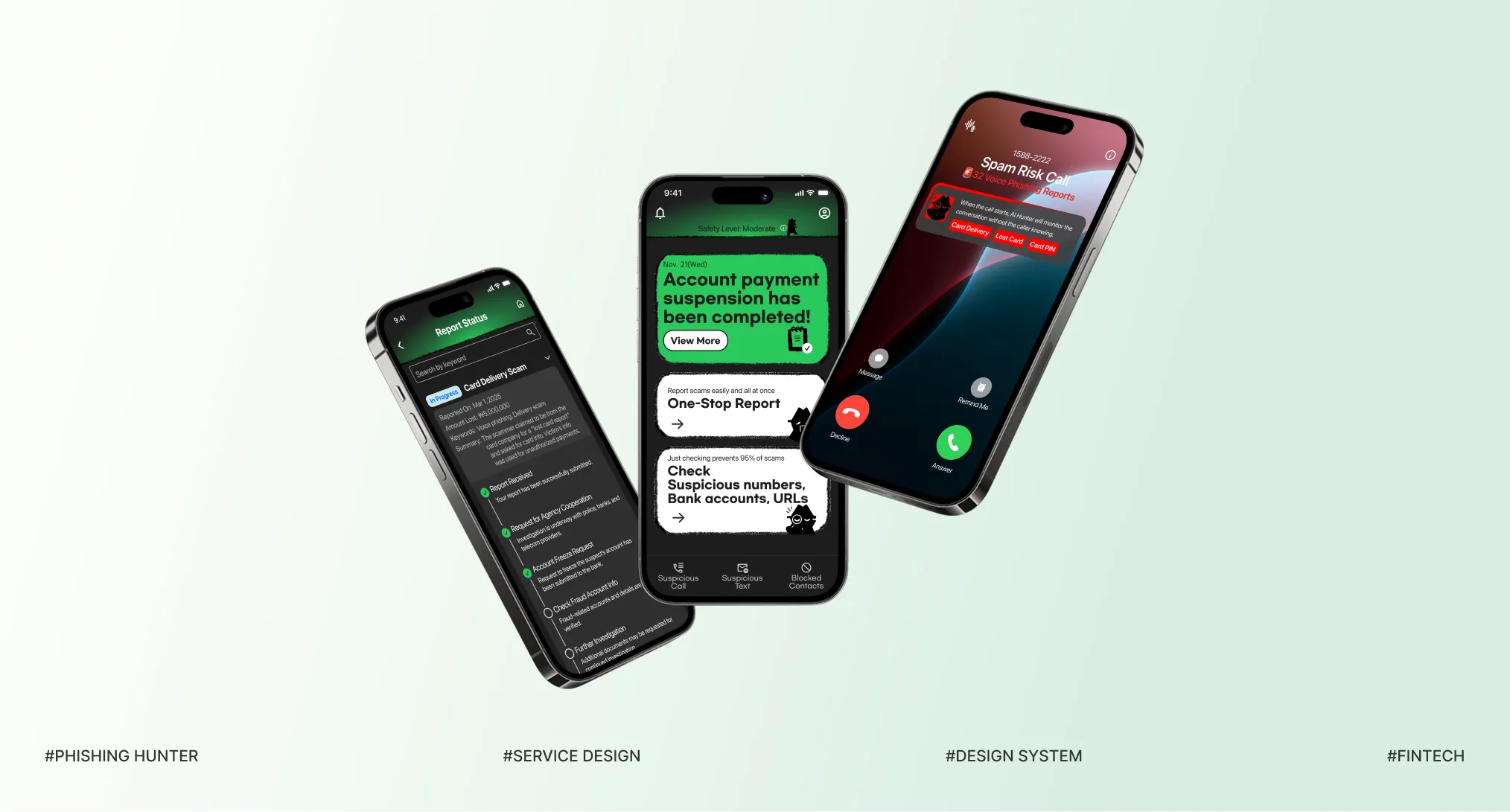
Phishing Hunter aims to prevent scam damage before it happens and minimize recovery effort and cost after incidents. By providing real-time AI alerts, it helps users recognize threats early and take immediate action.
- Project type
- Team Project (80%)
- Duration
- 8 Weeks
- Role
- Research, UX/UI Design, Prototyping, Usability Test
- Tools
- Figma, FigJam
Background
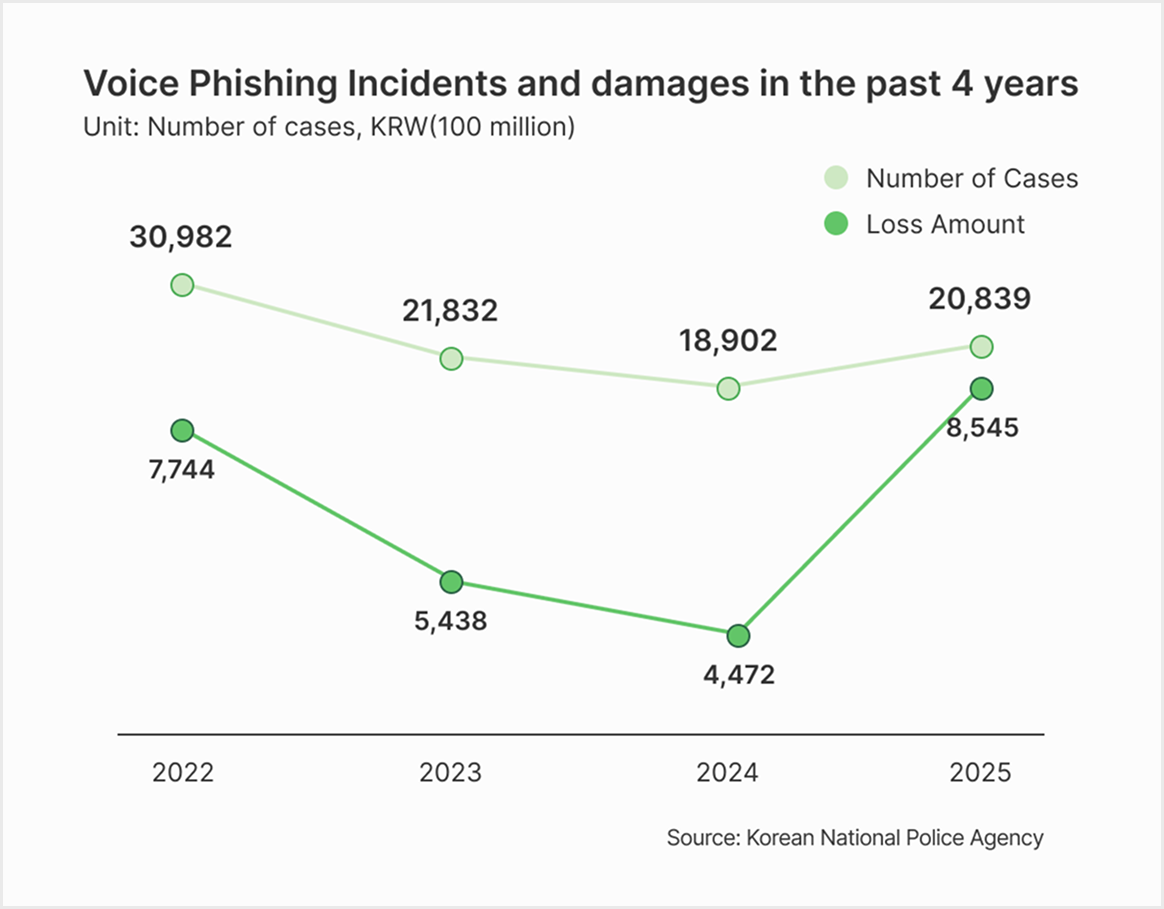
Why Does Voice Phishing Keep Increasing — And Why Won’t It Stop?
Is This Just a Technical Problem — or Something More Deeply Rooted?
That was the very first question that sparked this project. Despite years of public awareness campaigns, voice phishing in Korea continues to increase, causing serious financial loss and emotional trauma for countless victims. That’s why I approached this project as a way to create meaningful design solutions.
Main Features
AI Warns You Before You Answer
AI analyzes incoming calls and highlights potential scam risks before the call is answered. By showing clear visual warnings at the right moment, it helps users pause and make safer decisions.
One-Stop Report: Turning Scam Awareness into Immediate Action
Easily report suspicious calls in one tap right after AI detection. It guides you through the reporting process. No more confusion or delays - everything you need is handled in one place.
Follow Your Report Until It’s Resolved
Users can easily track their report status after submission. Clear updates and notifications provide reassurance, letting users know they are still being protected until the case is resolved.
Empathize
When Are Users Most Vulnerable to Scams?
Desk Research
Breaking Down the 4 Stages of a Scam
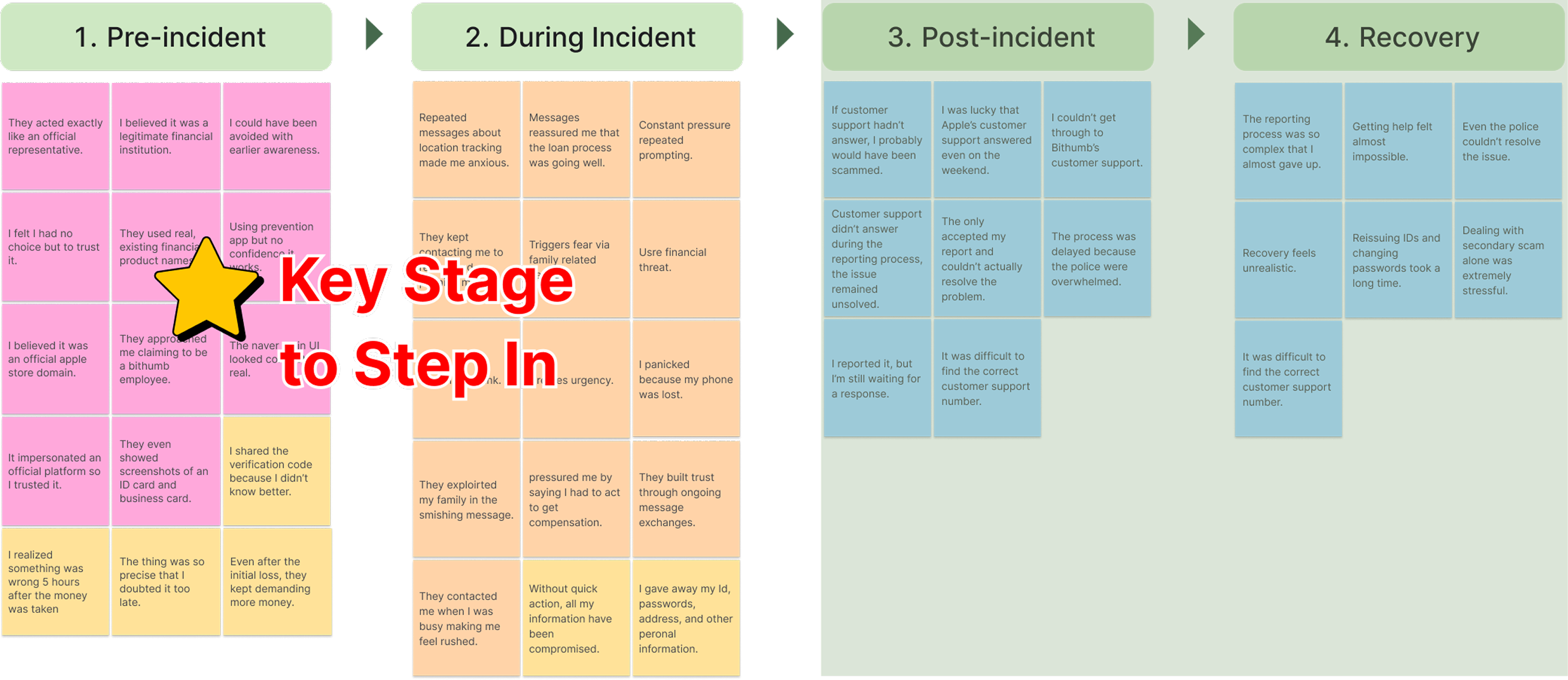
We conducted desk research using 10 news reports, 10 academic studies, and conversations from online scam communities, and analyzed the data, which showed that digital scams occur in 4 stages.
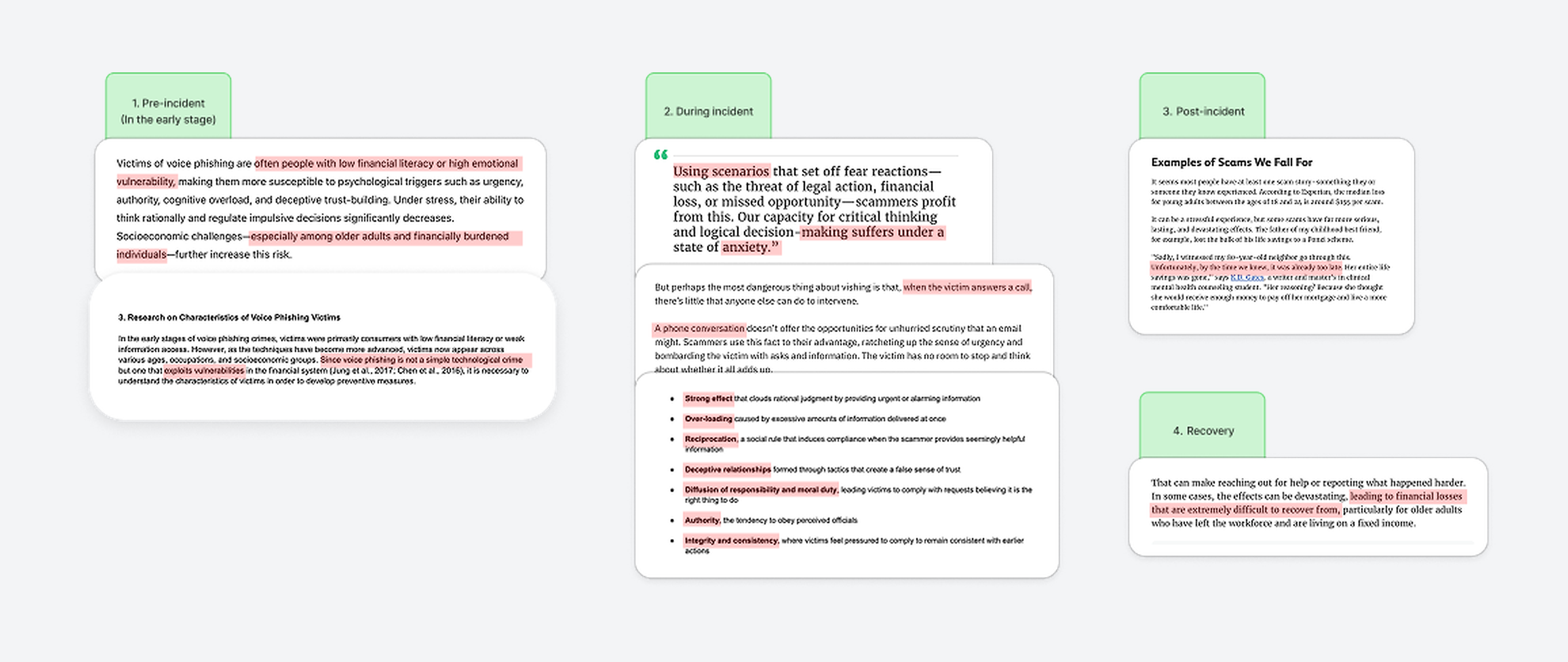
Insights from Desk Research
This four-stage structure became a key framework for clearly understanding why users fail to recognize risk at each stage and where they are most vulnerable.
Pre-incident
- Lack of user preparedness
- Insufficient information
- Low awareness of risks
During Incident
- Loss of judgement due to urgency and fear
Post-incident
- Delayed recognition
- Late awareness
Recovery
- Difficulty of recovery
1:1 Depth Interview
The Most Critical Moments Are Before and During the Scam
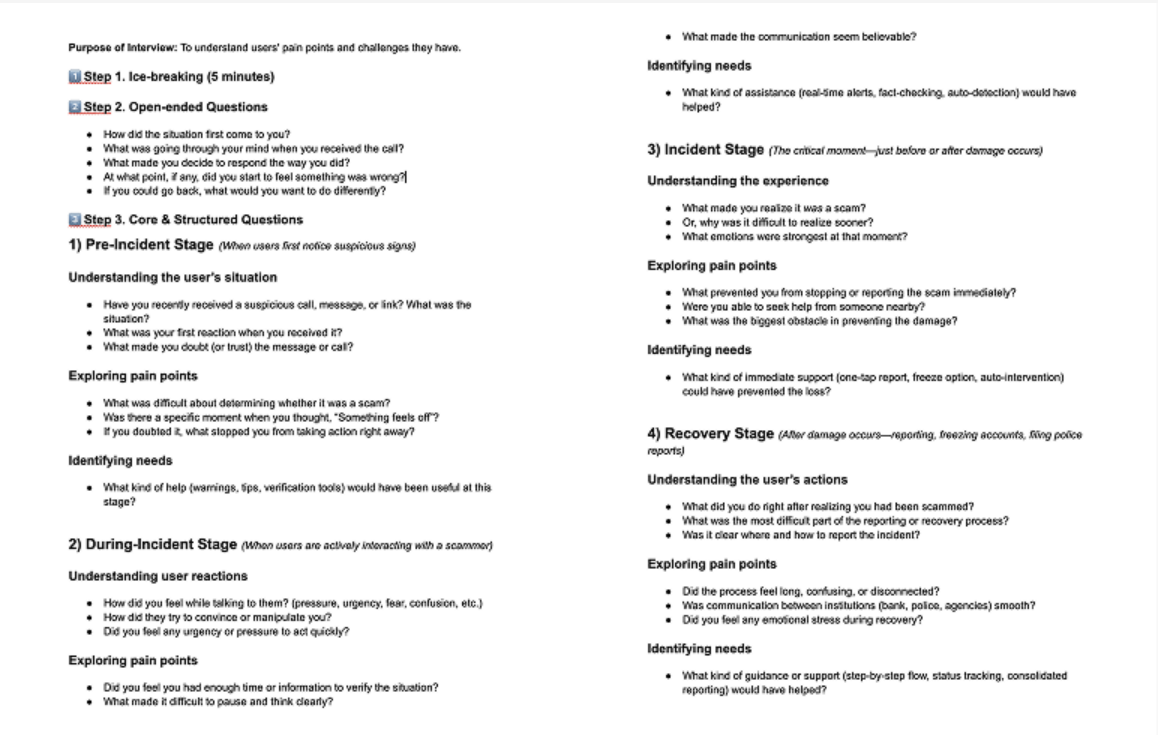
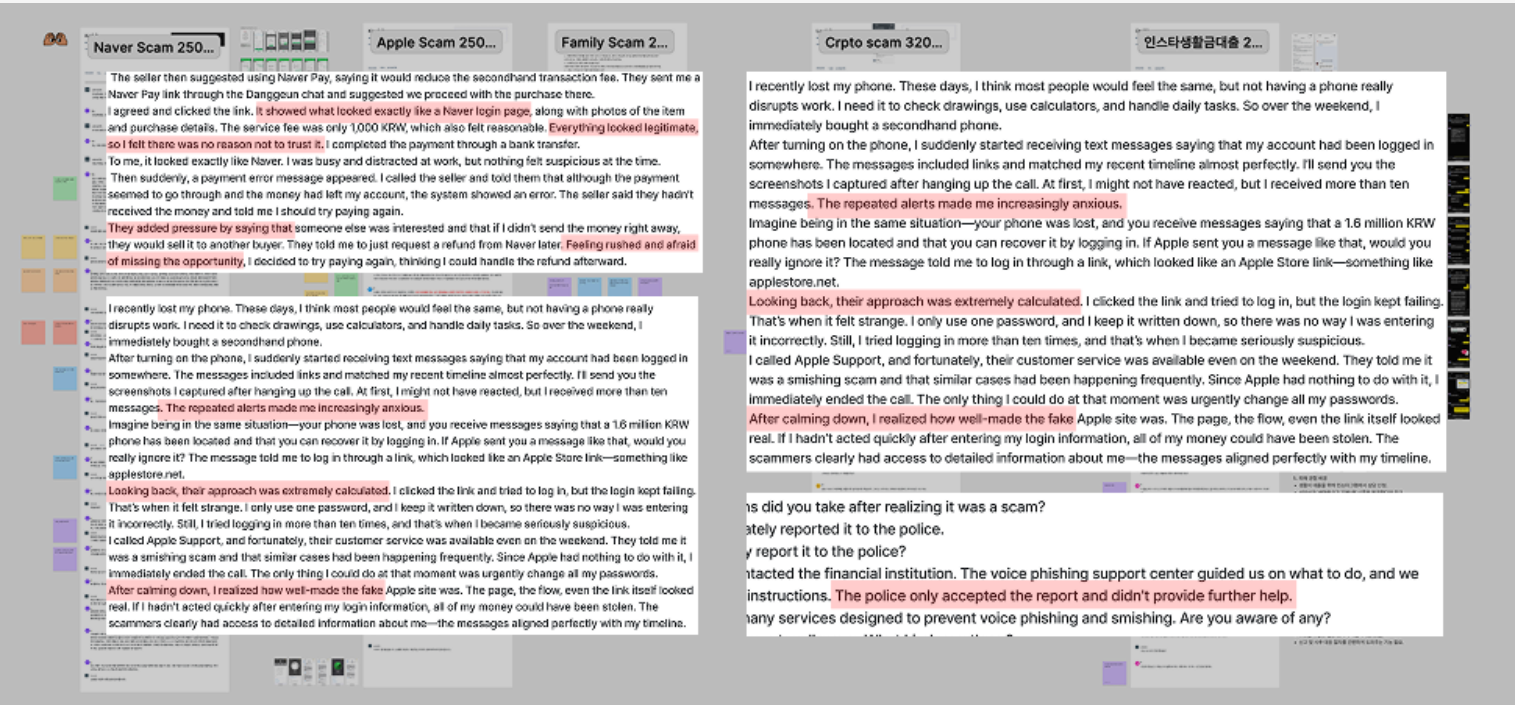
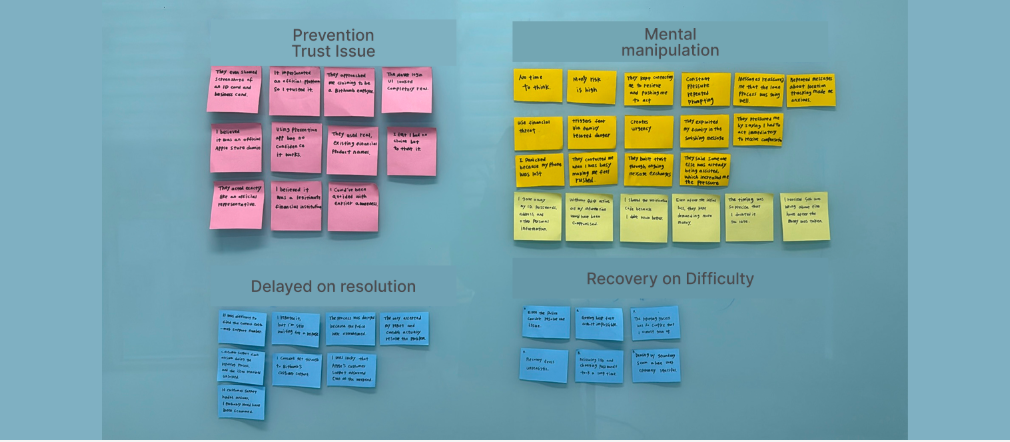
We conducted semi-structured interviews with 5 participants to understand the pain points users experience across the 4 stages of digital scams. Through this, we discovered that users feel the most confusion and pressure before and during the scam.

Define the Problem
To Prevent Harm, Act Before or During the Scam
Most pain points arise before and during the incident. However, the recovery is complex and stressful. Therefore, the solution should focus on stopping the scam before it happens.
Define: Problem Statement
Users Want to Prevent Scams, But Most Solutions Act Too Late.
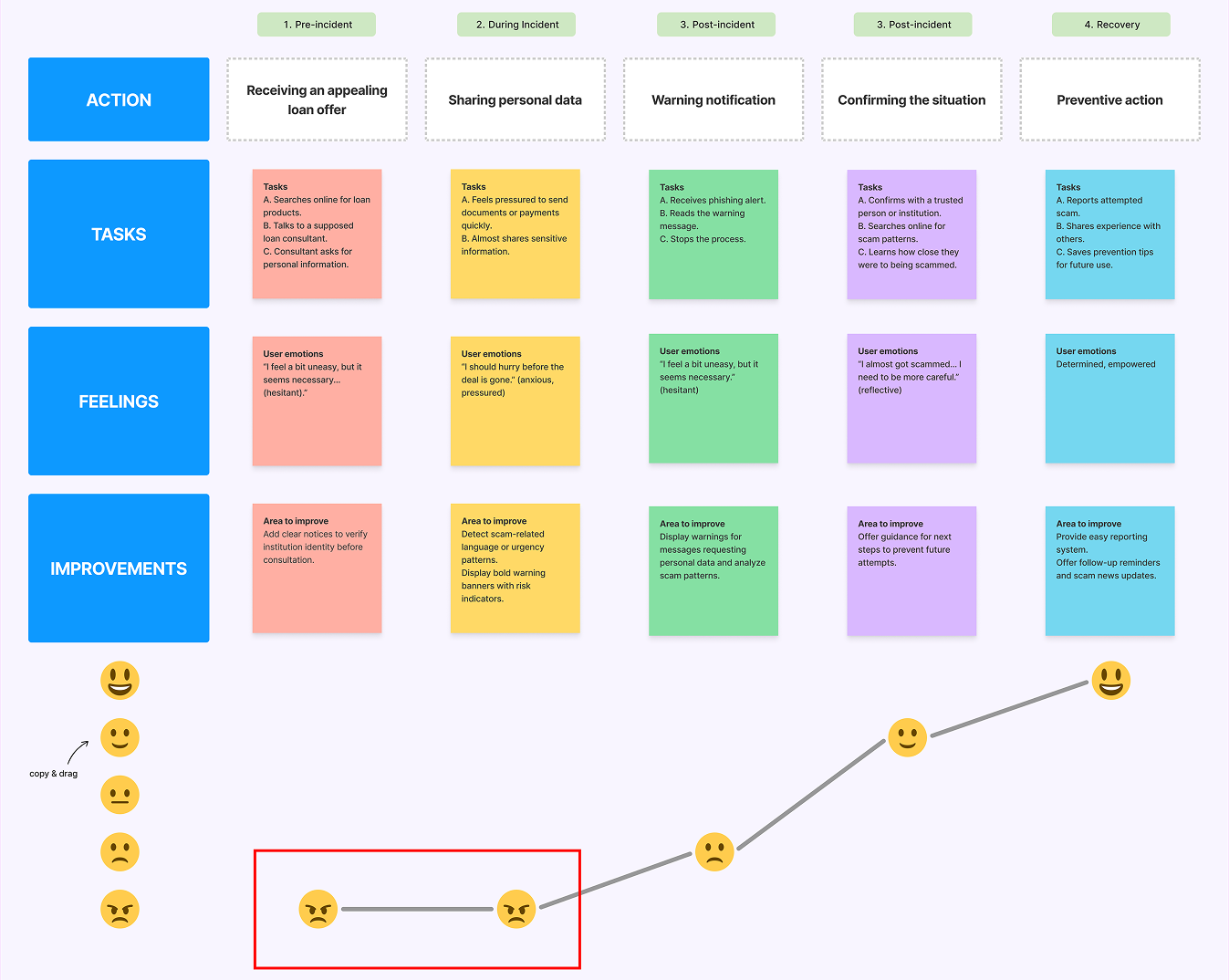
Persona and User Journey Map
Two Personas Reveal Where Users Are Most at Risk
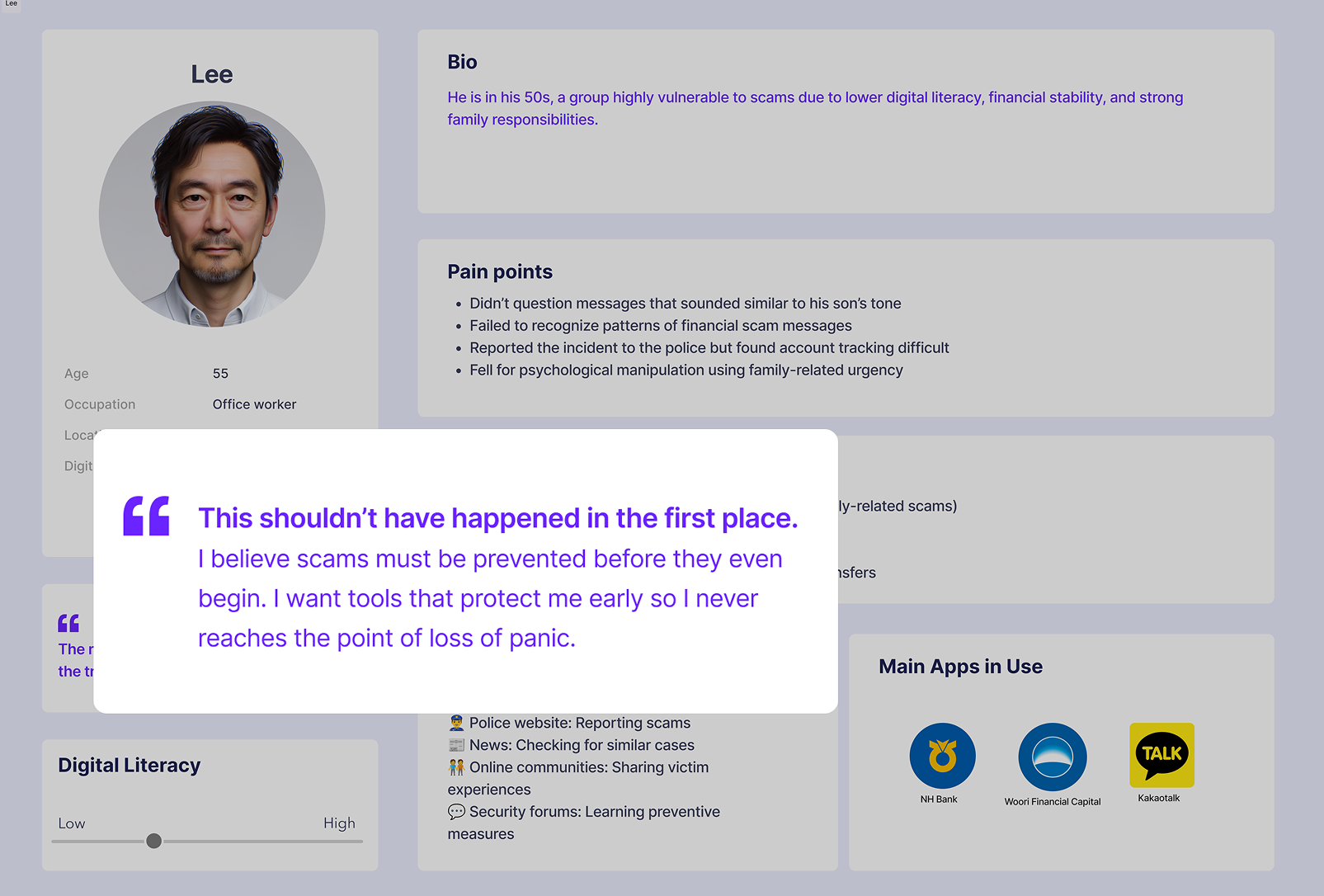
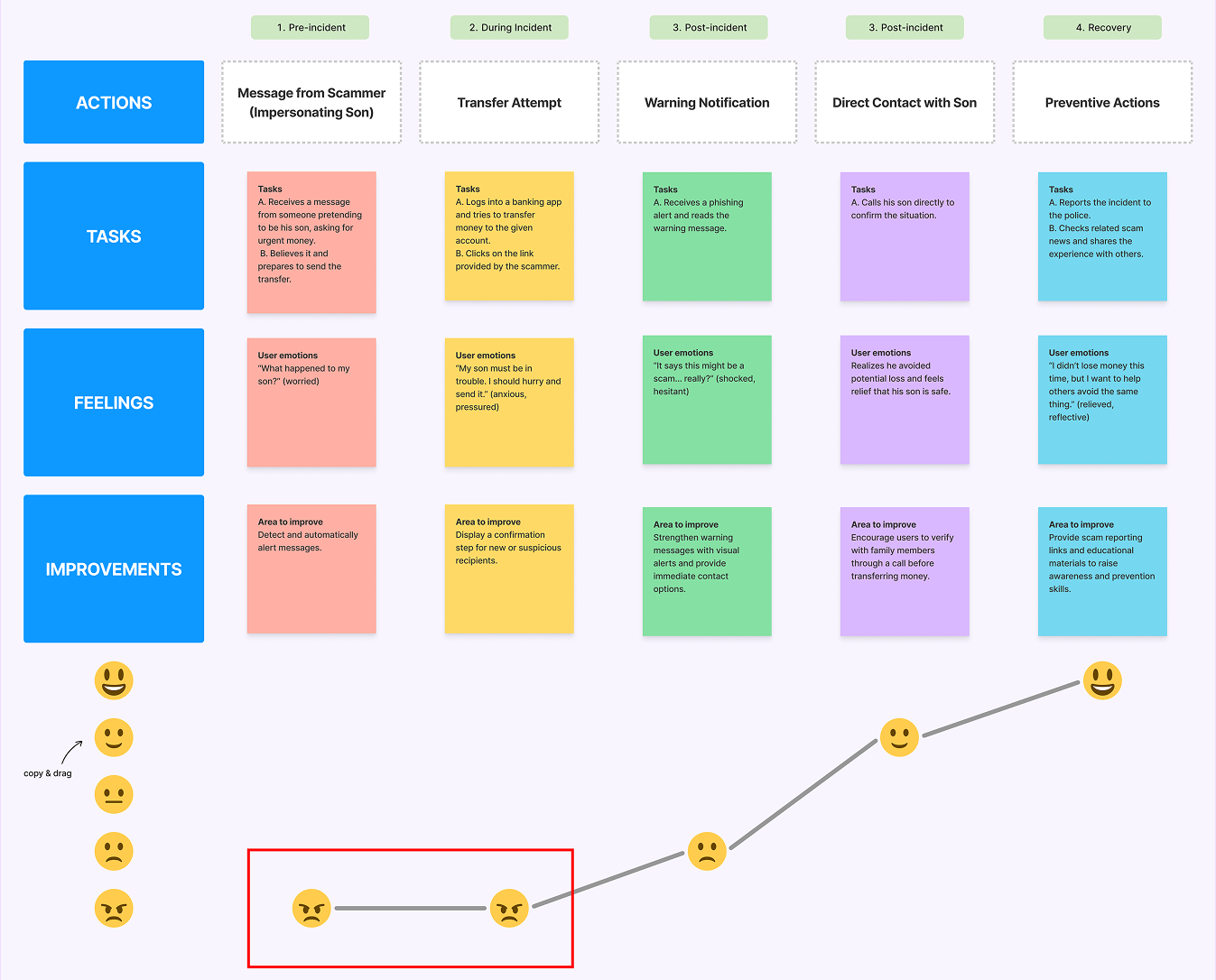
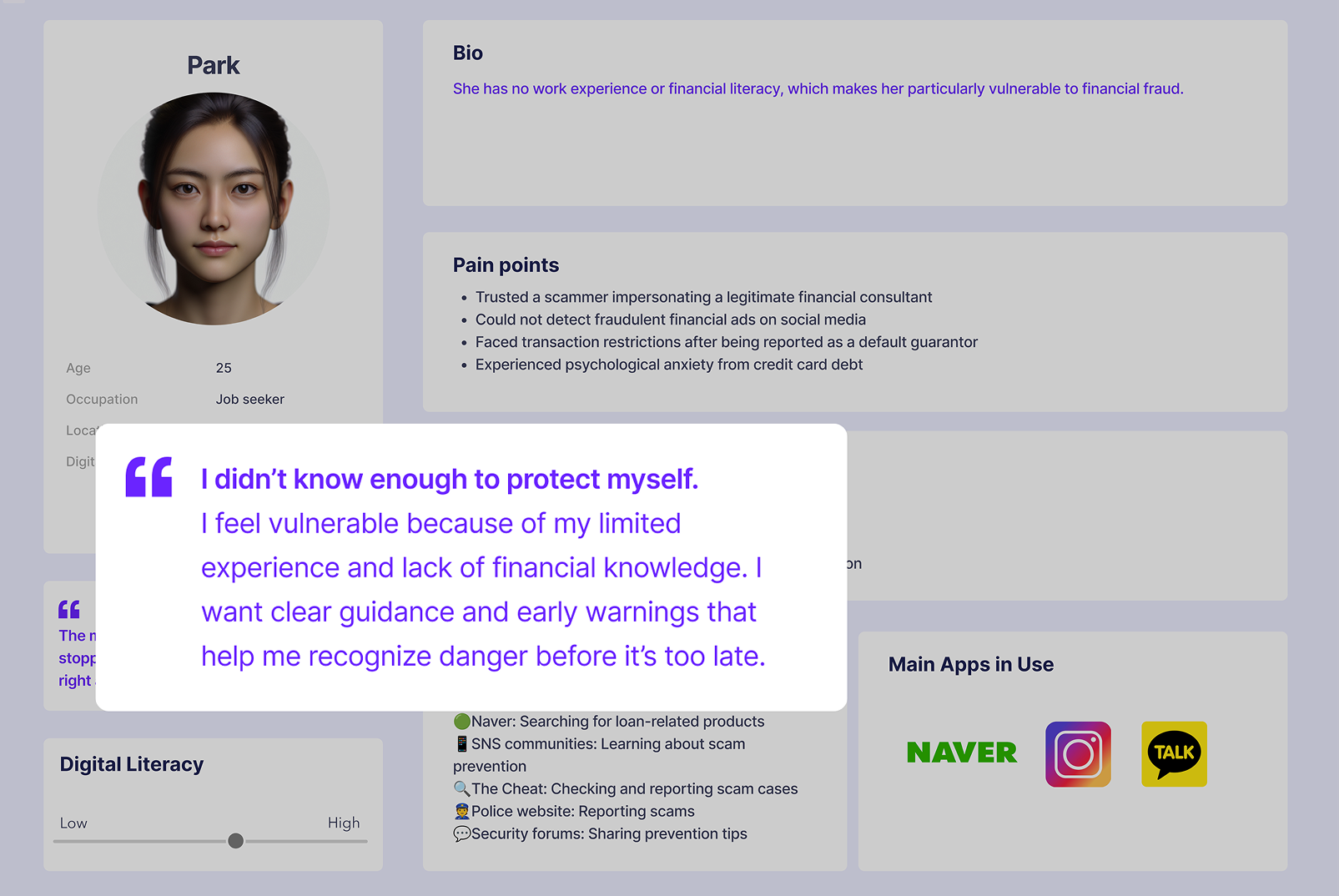
Using the interview insights, we developed two personas and journey maps to clearly identify users’ key problems and pain points.
One persona represents a man in his 50s who is vulnerable to scams due to lower digital literacy, financial stability, and strong family responsibilities.
The other persona represents a young woman with no work experience or financial literacy, making her highly susceptible to financial fraud.
Ideate
How Might We Intervene Early in the Pre-Incident Stage?
Ideation (Brainstorming)
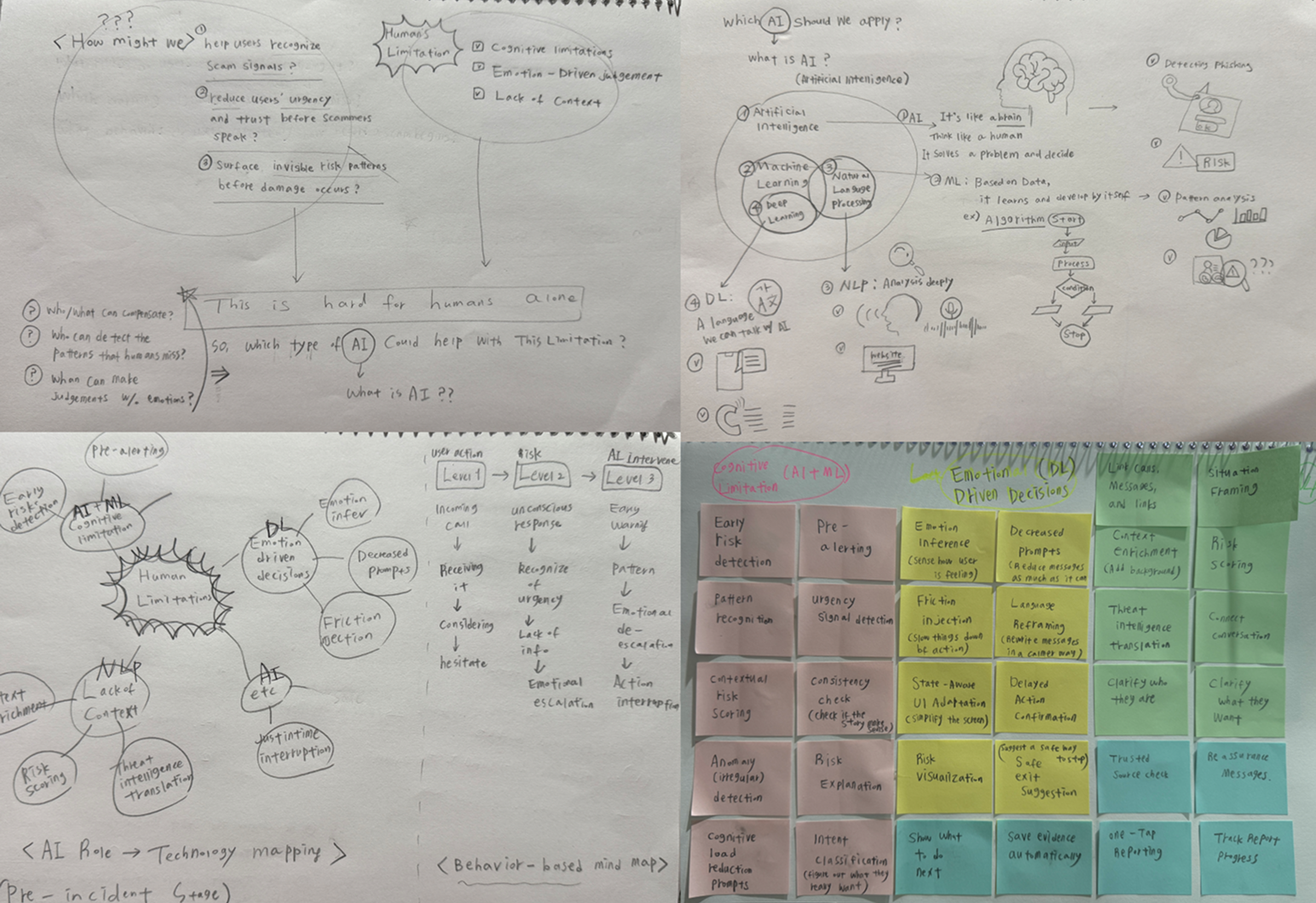
18 AI Ideas to Warn, and Pause Risky Actions Early
We analyzed 14 user behavior and risk-related data points. Through broad ideation, we generated 18 AI-driven intervention ideas. From these, we narrowed down MVP focused on early risk detection, emotional calming, and pausing risky actions before damage occurs.
MoSCoW Prioritization
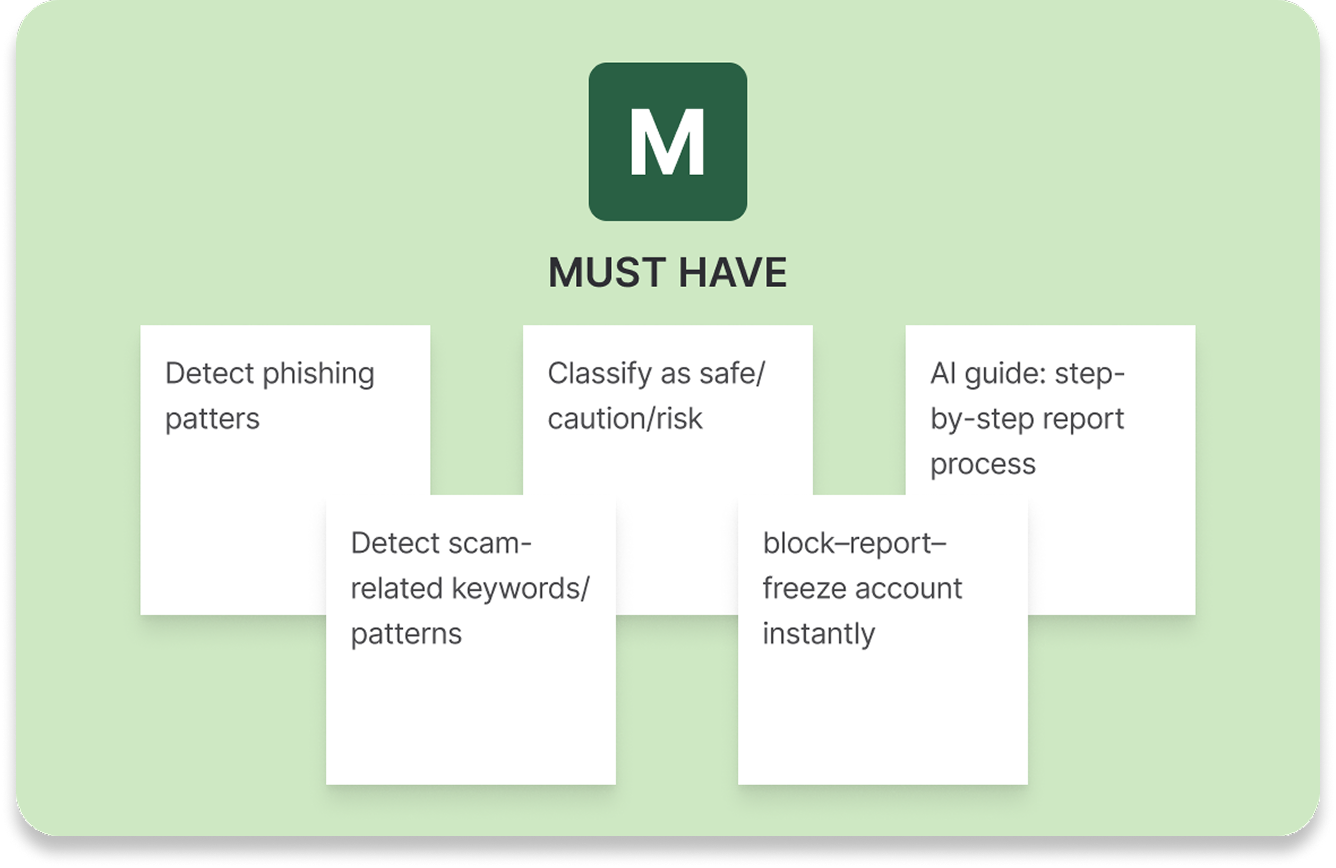
Focusing on What Truly Prevents Damage
We prioritized features using the MoSCoW method to focus on the most essential functions—those that help detect phishing early, alert users, and minimize potential damage.
Storyboard
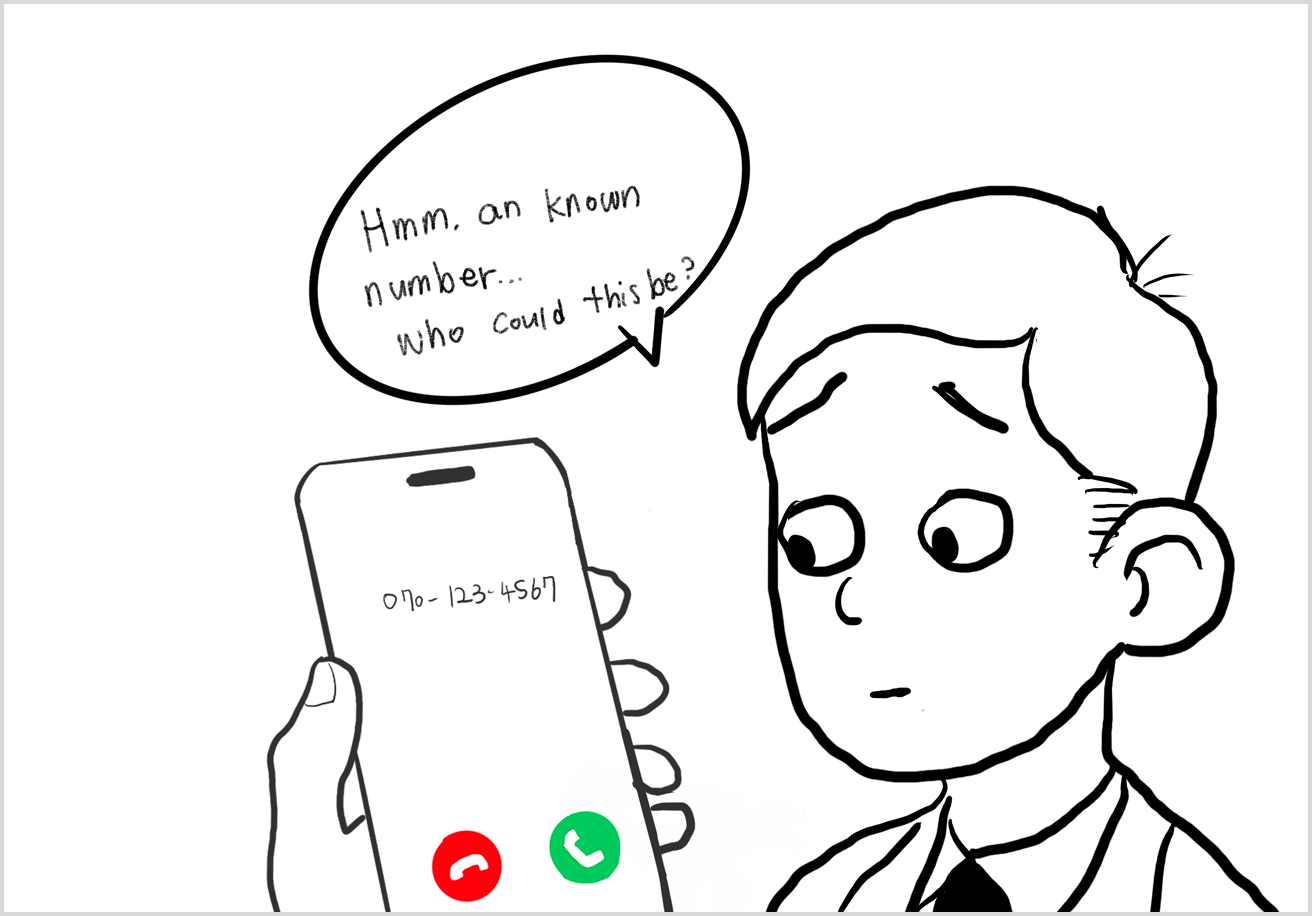
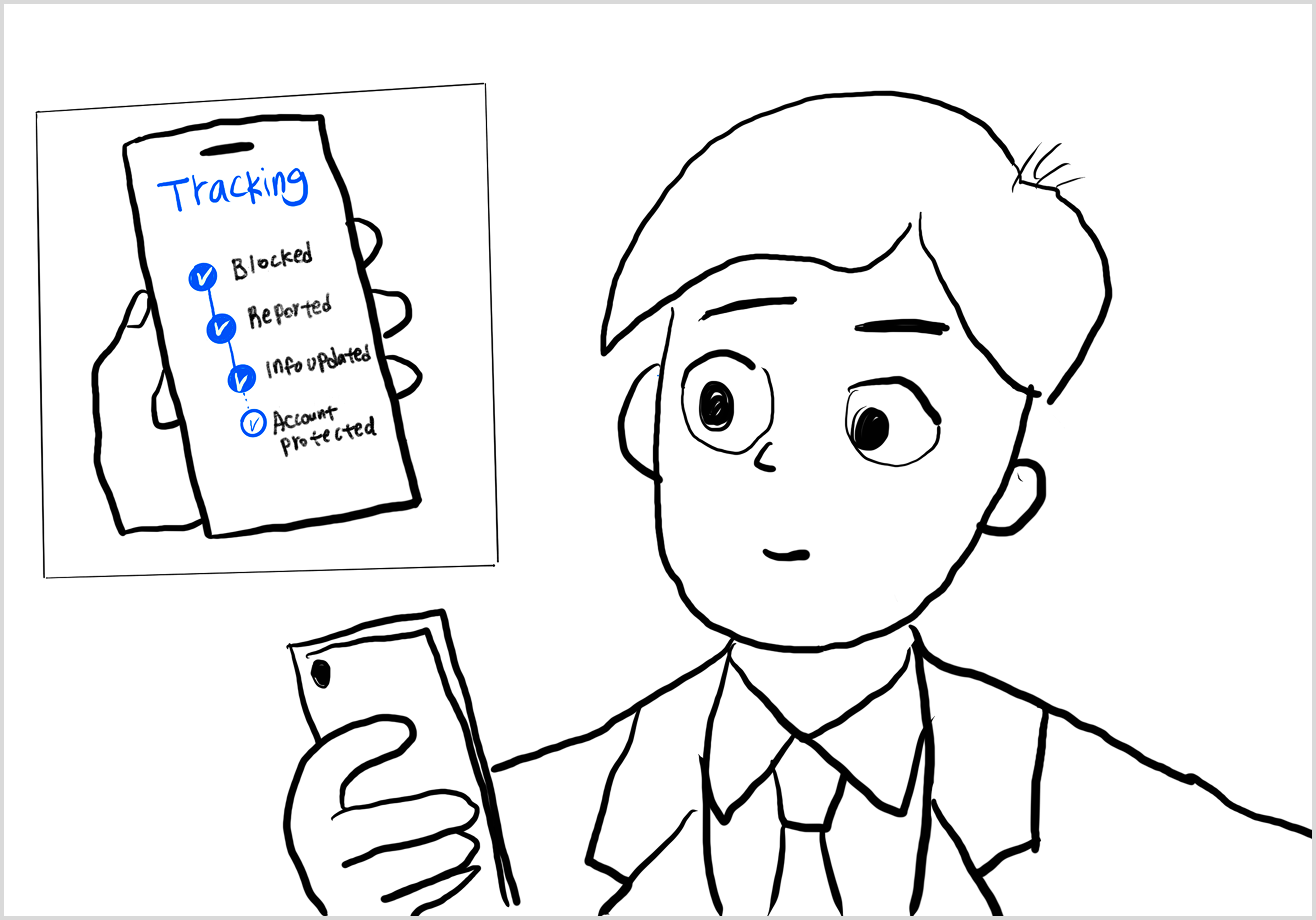
What Changes When Early Warning Exists?
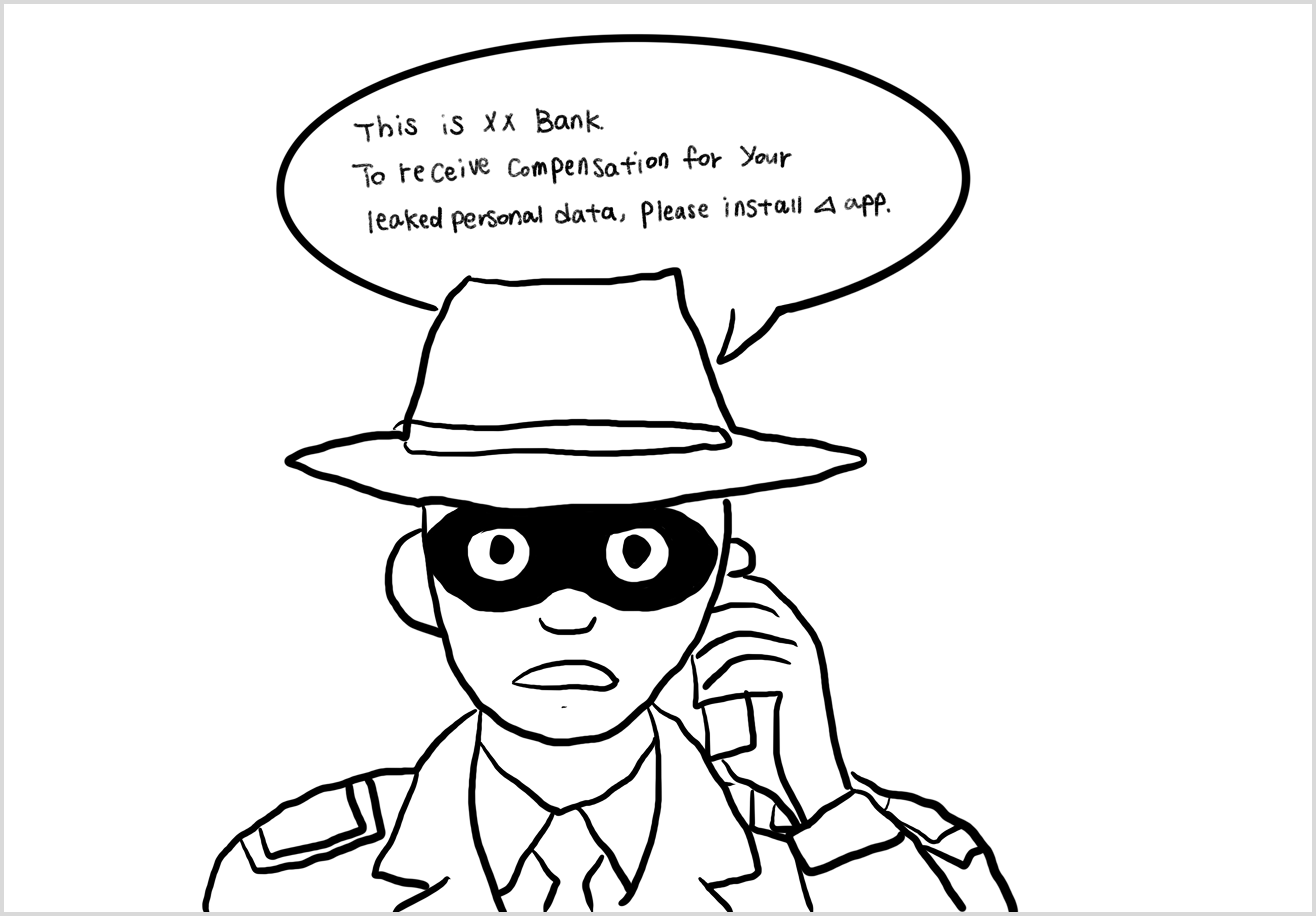
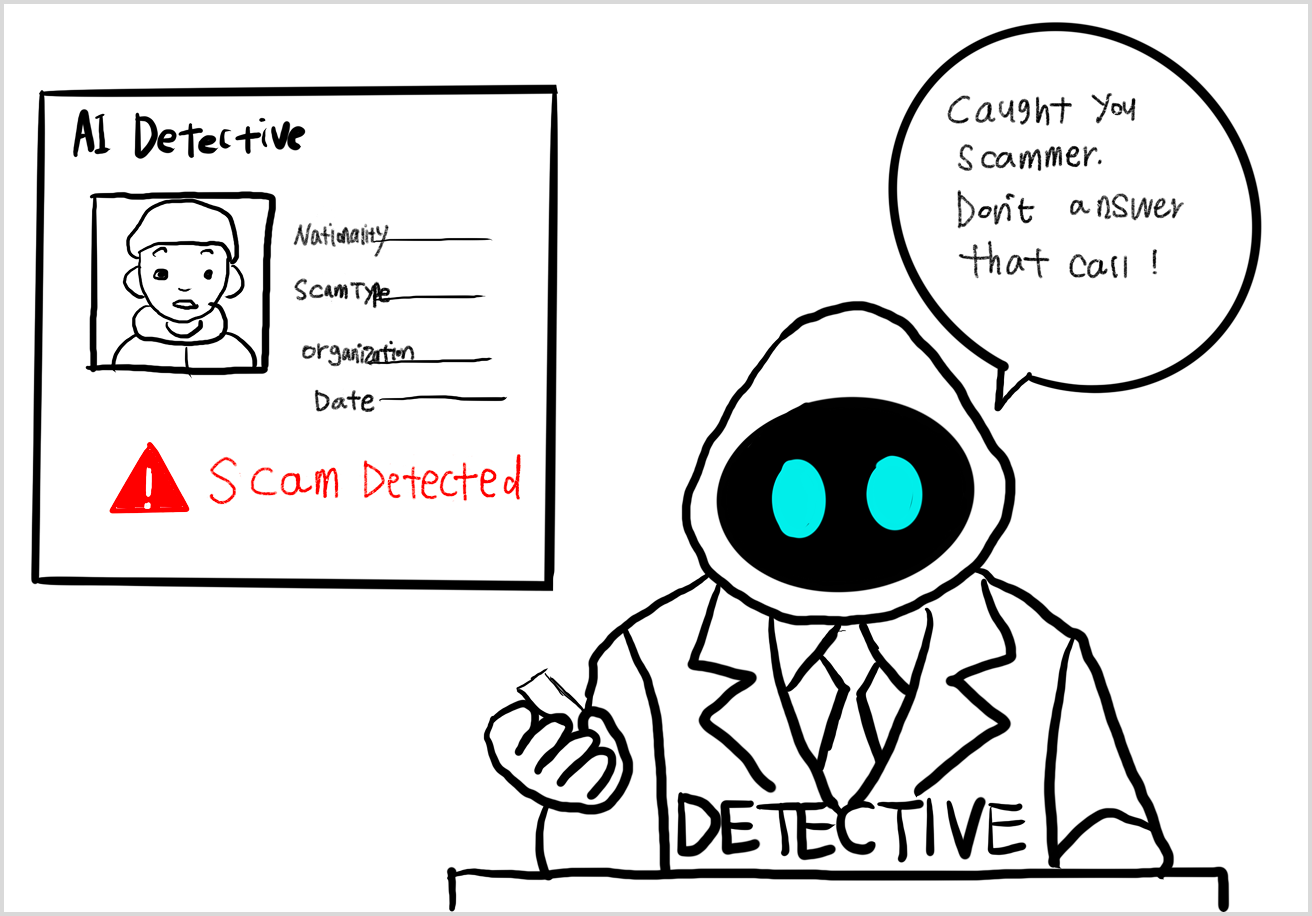
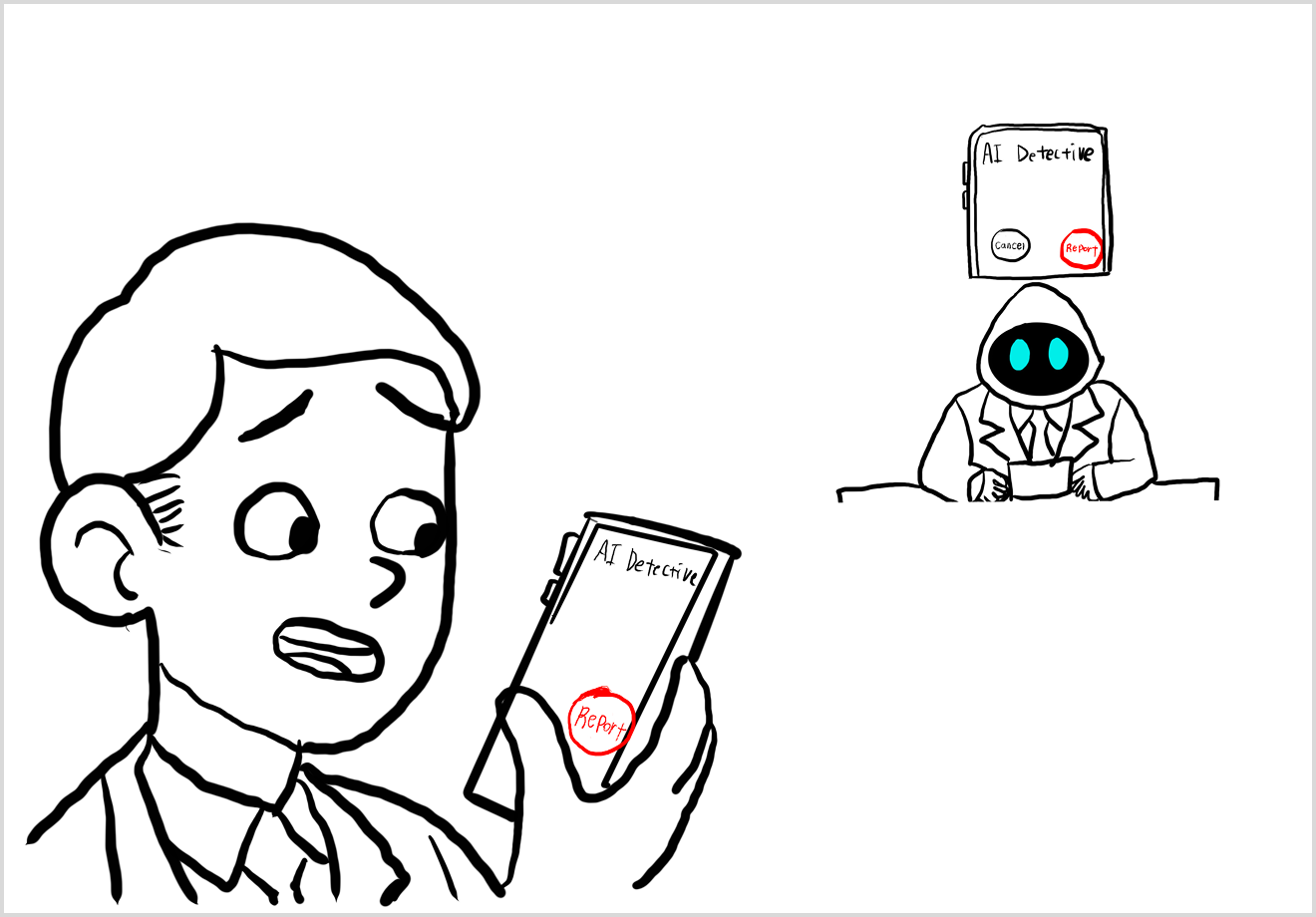
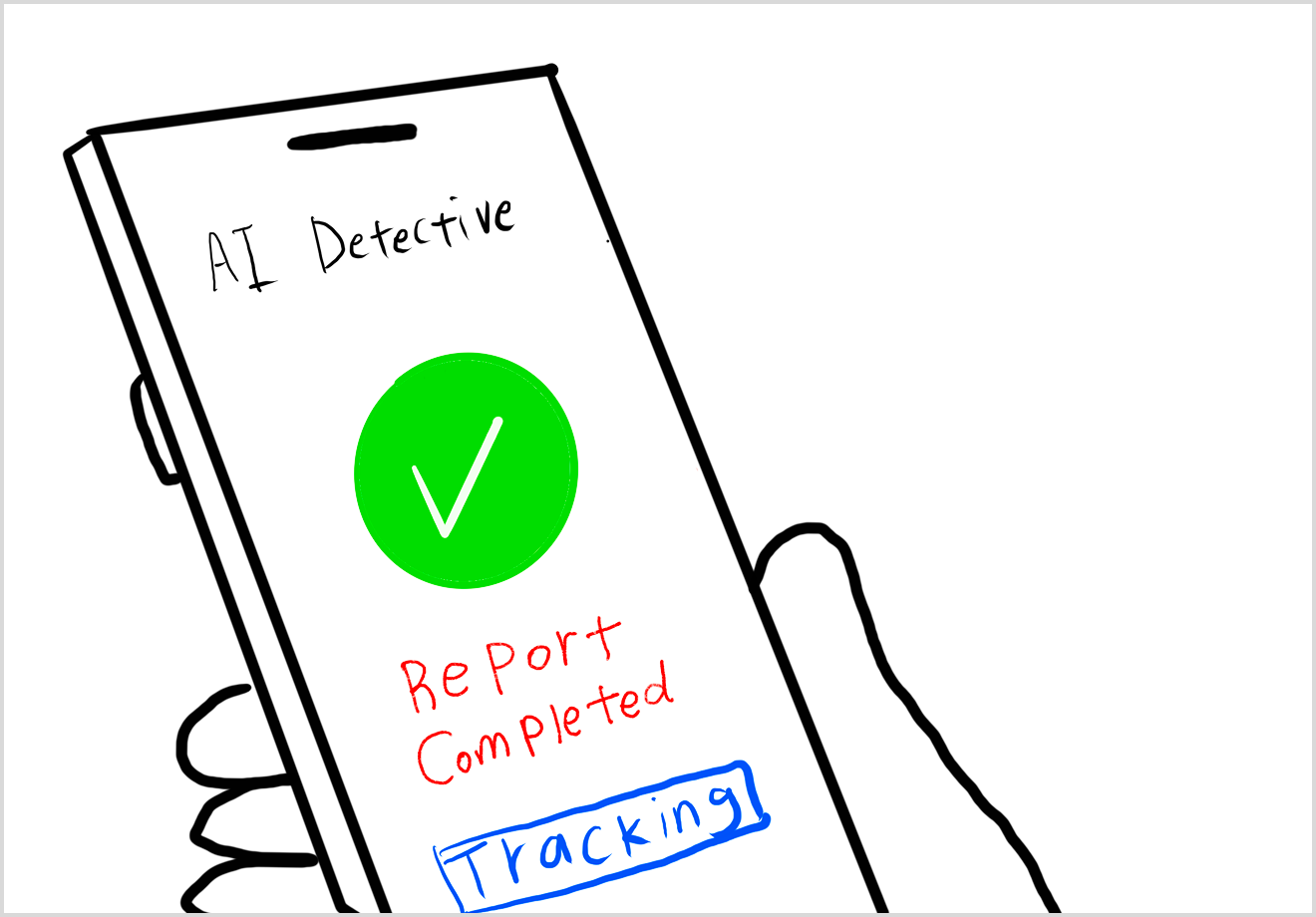
This storyboard demonstrates how AI automatic detection intervenes before users fall for a scam - warning them in real time and stopping harmful actions early.
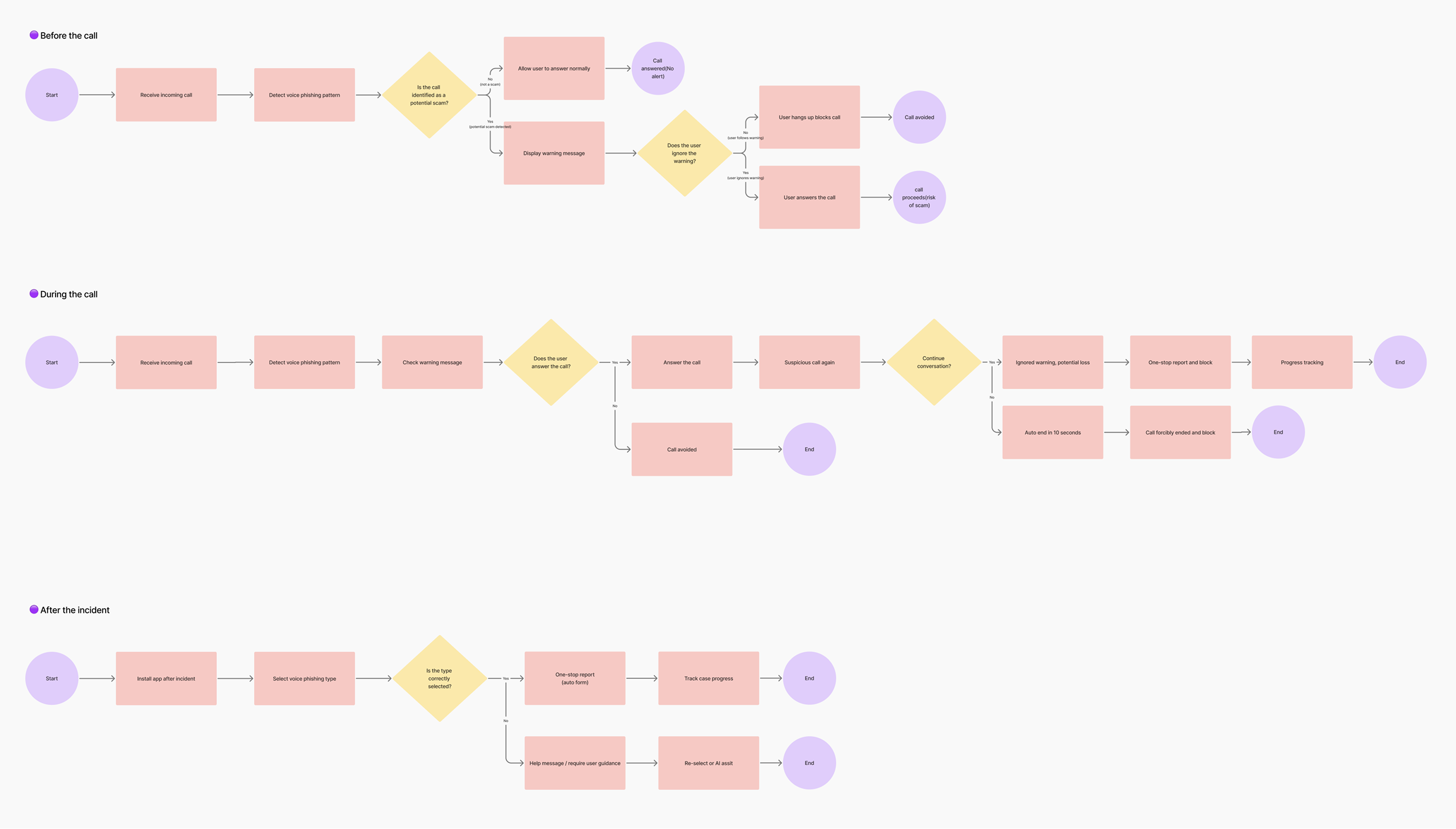
User Flow
Don’t Make Users Work. AI Works Everything.
This user flow shows how AI reduces user effort by automatically detecting scams, delivering timely warnings, and guiding users through safe actions.
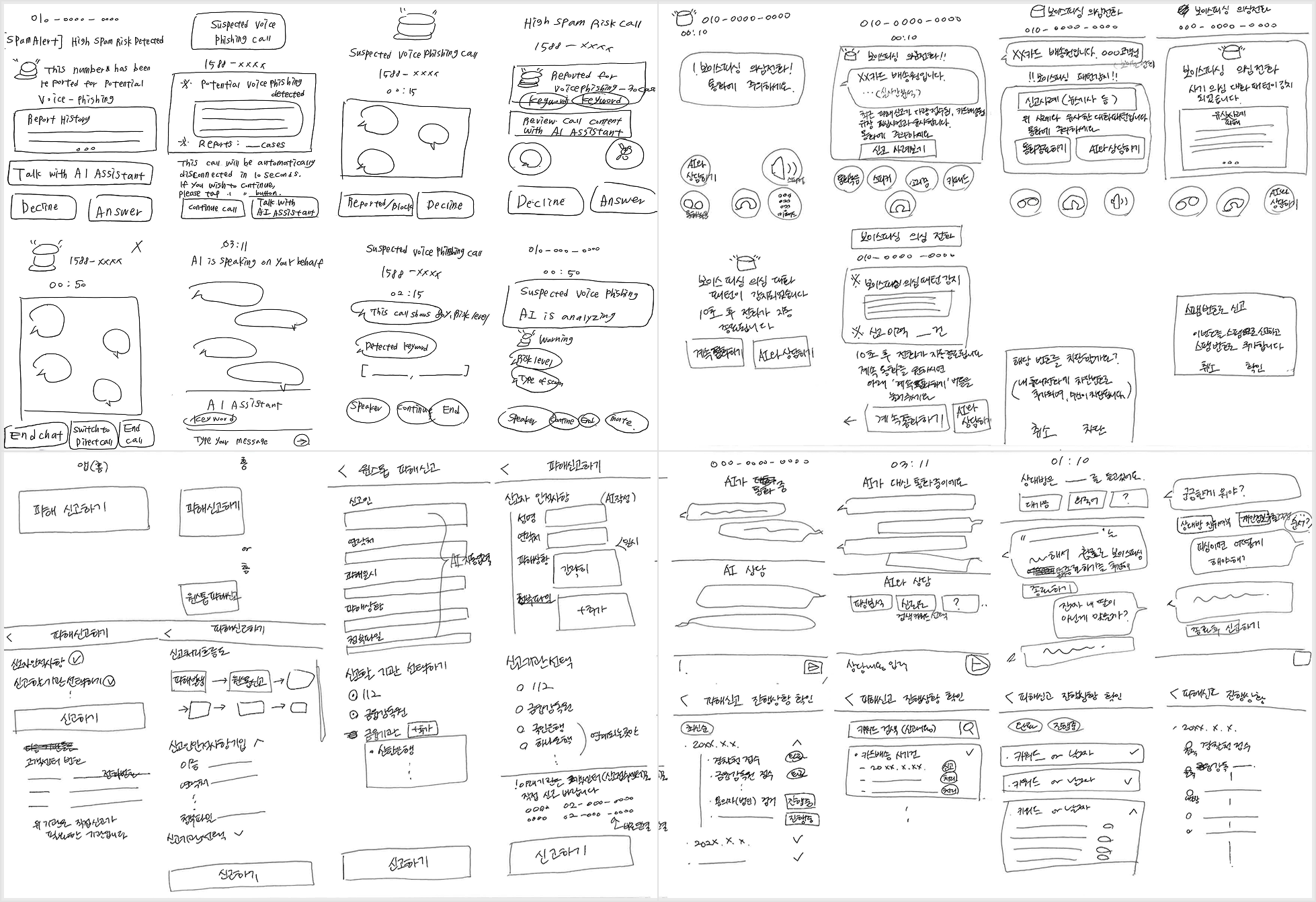
Sketches
Sketching Fast to Explore Safer Interactions
I quickly sketched to explore layout and interaction ideas before prototyping.
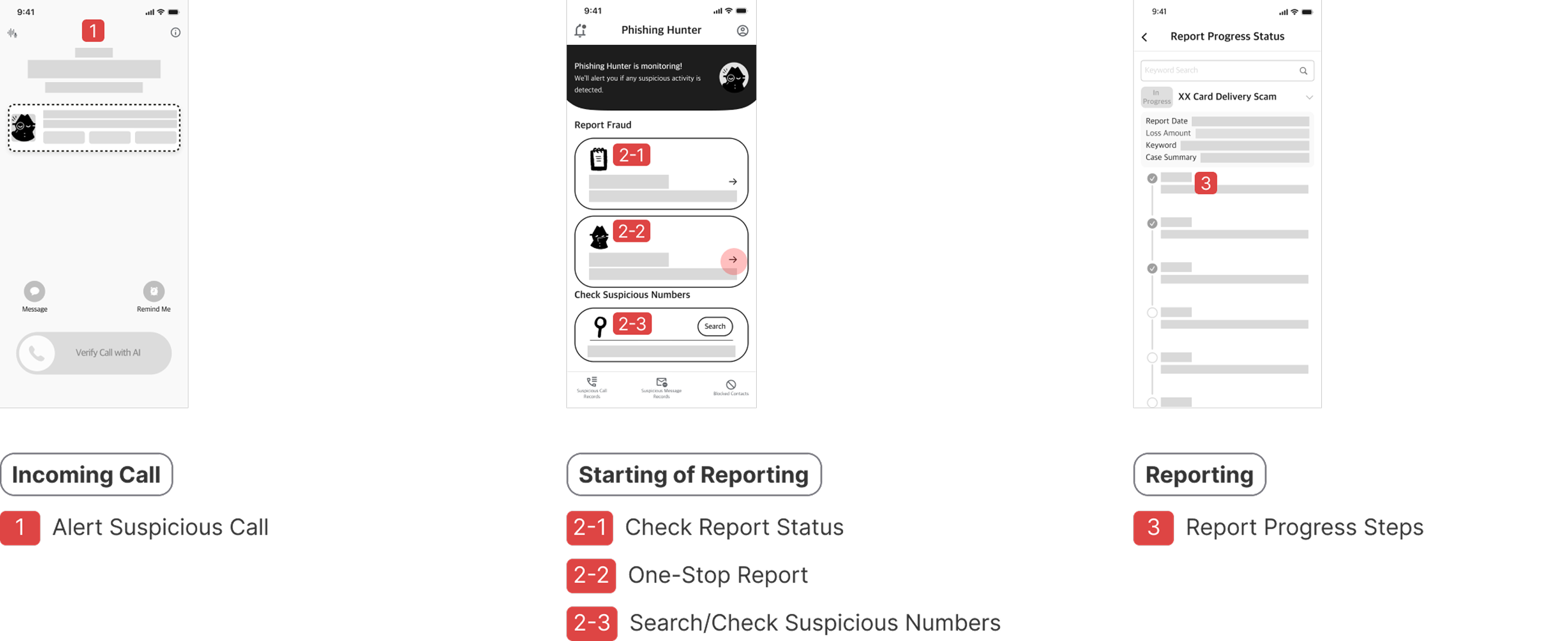
Low-Fidelity Wireframe
Visualizing Key Flows Before High-Fidelity Design
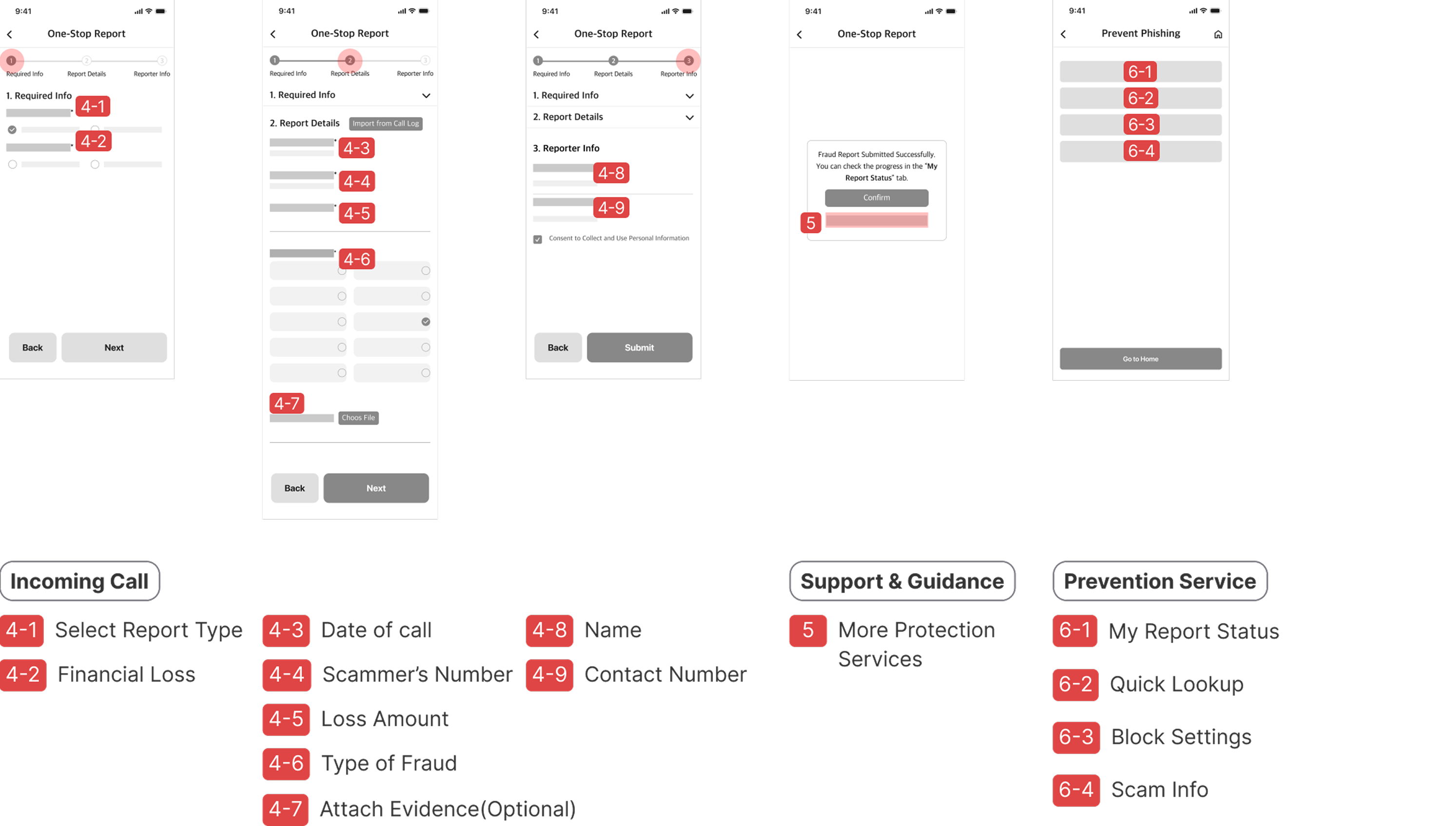
We designed low-fidelity wireframes to explore key layout options based on my sketches. Before moving to high-fidelity prototypes, we focused on visualizing ideas such as user flow quickly, rather than refining visual details.
Prototype
Can Users Recognize the Warning Signs?
Design System
Establishing Consistency and Efficiency
I built a design system to ensure visual consistency, scalability, and efficient prototyping across the app.
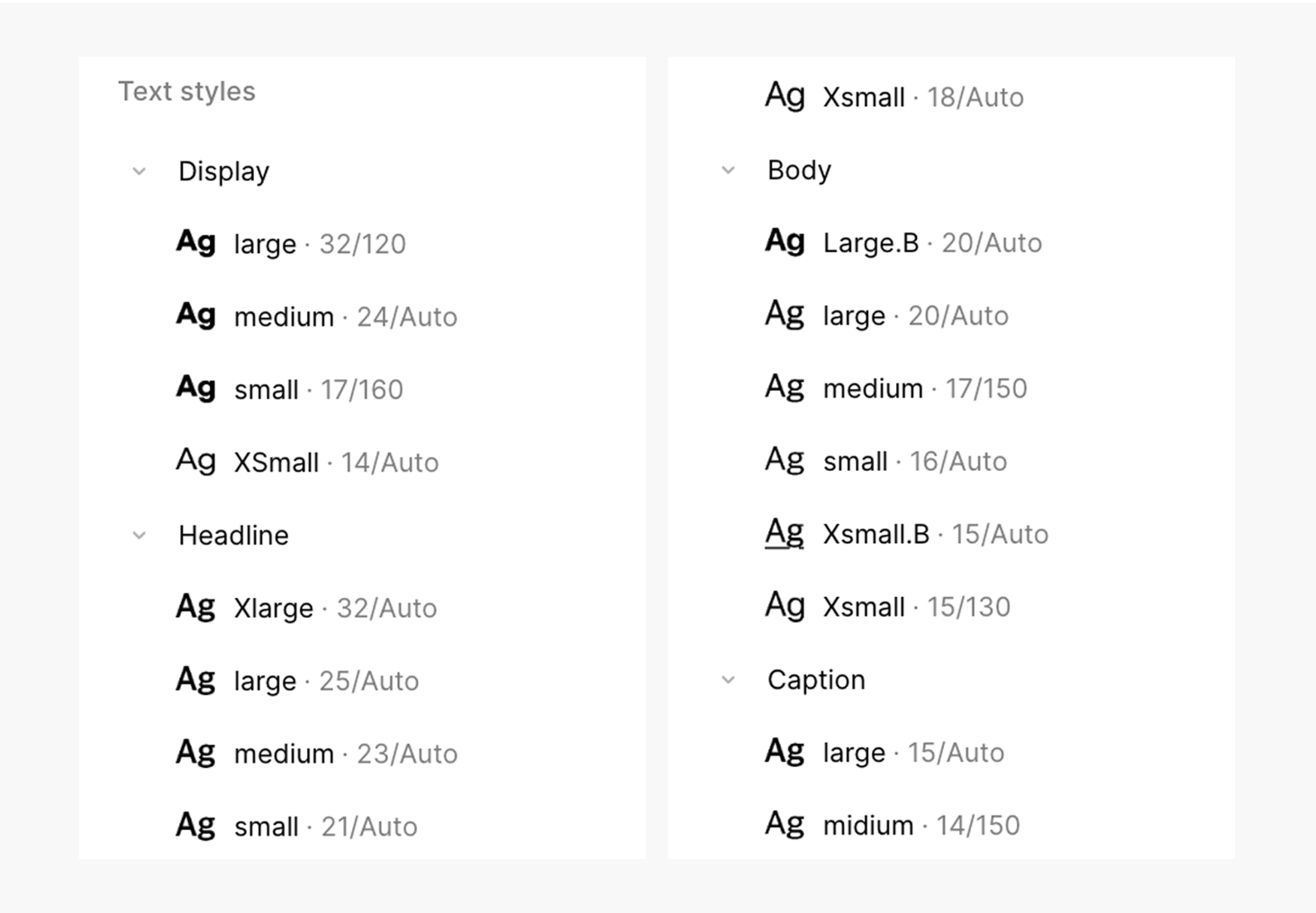
01. Typography
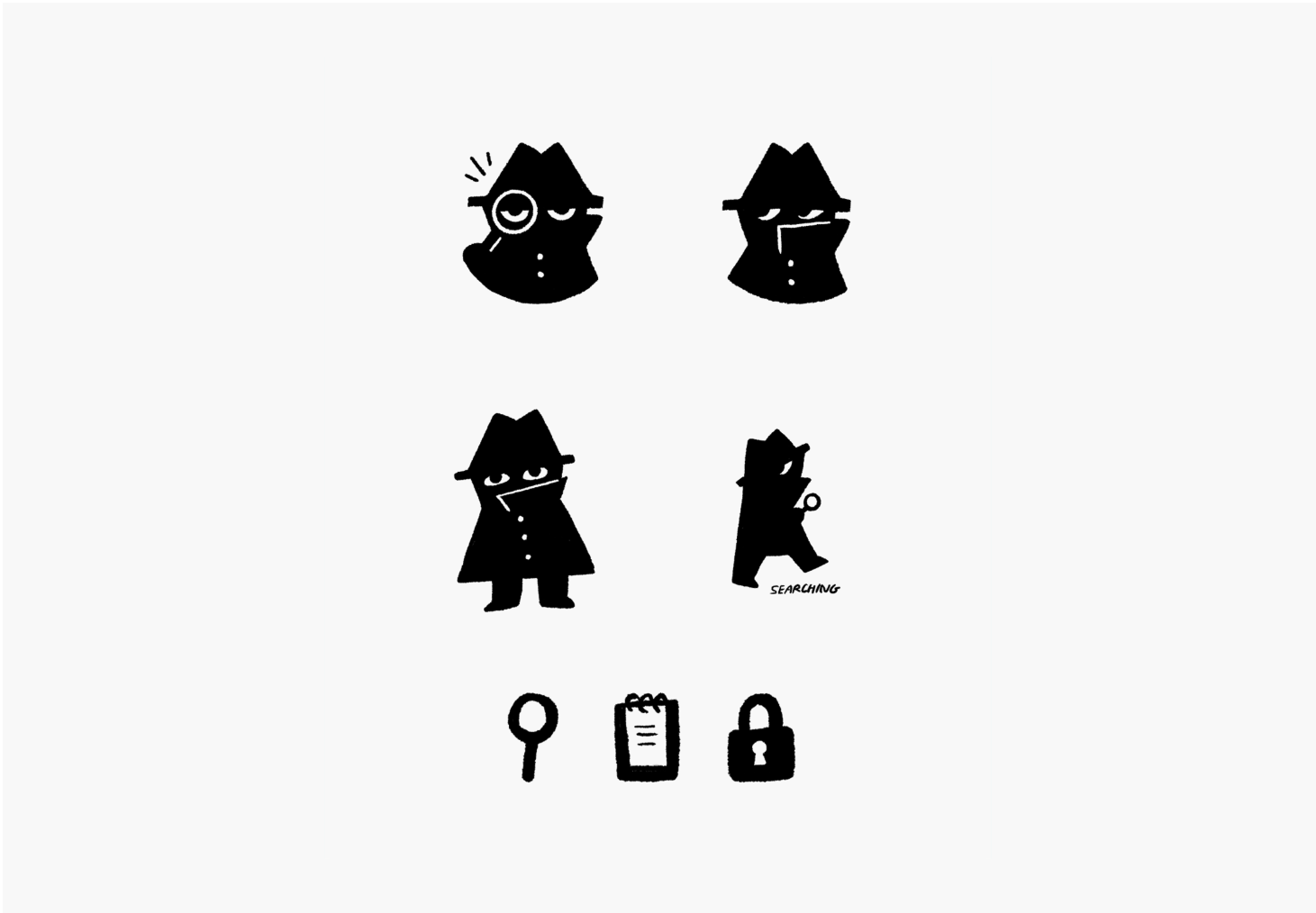
02. Characters
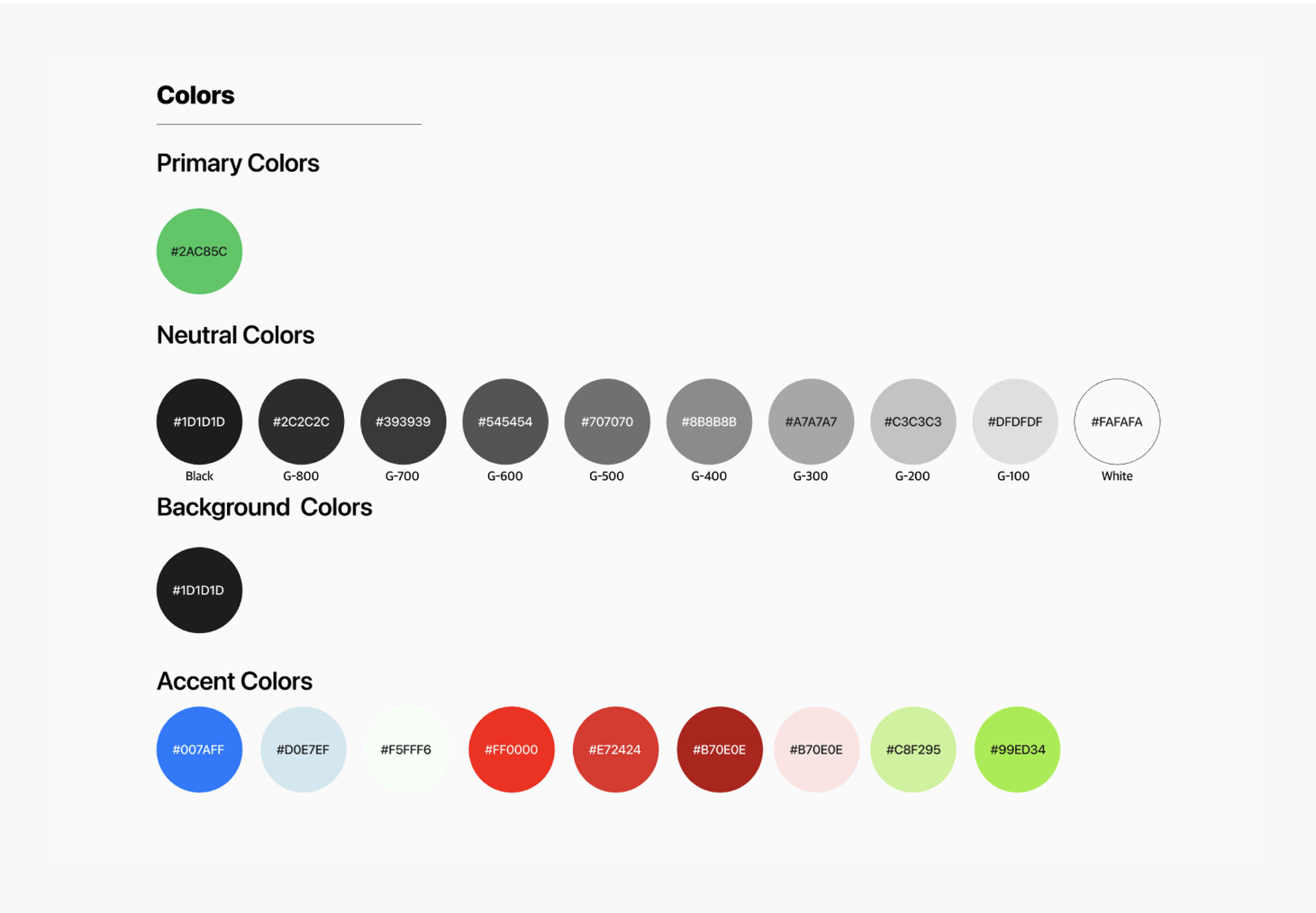
03. Colors
04. Components
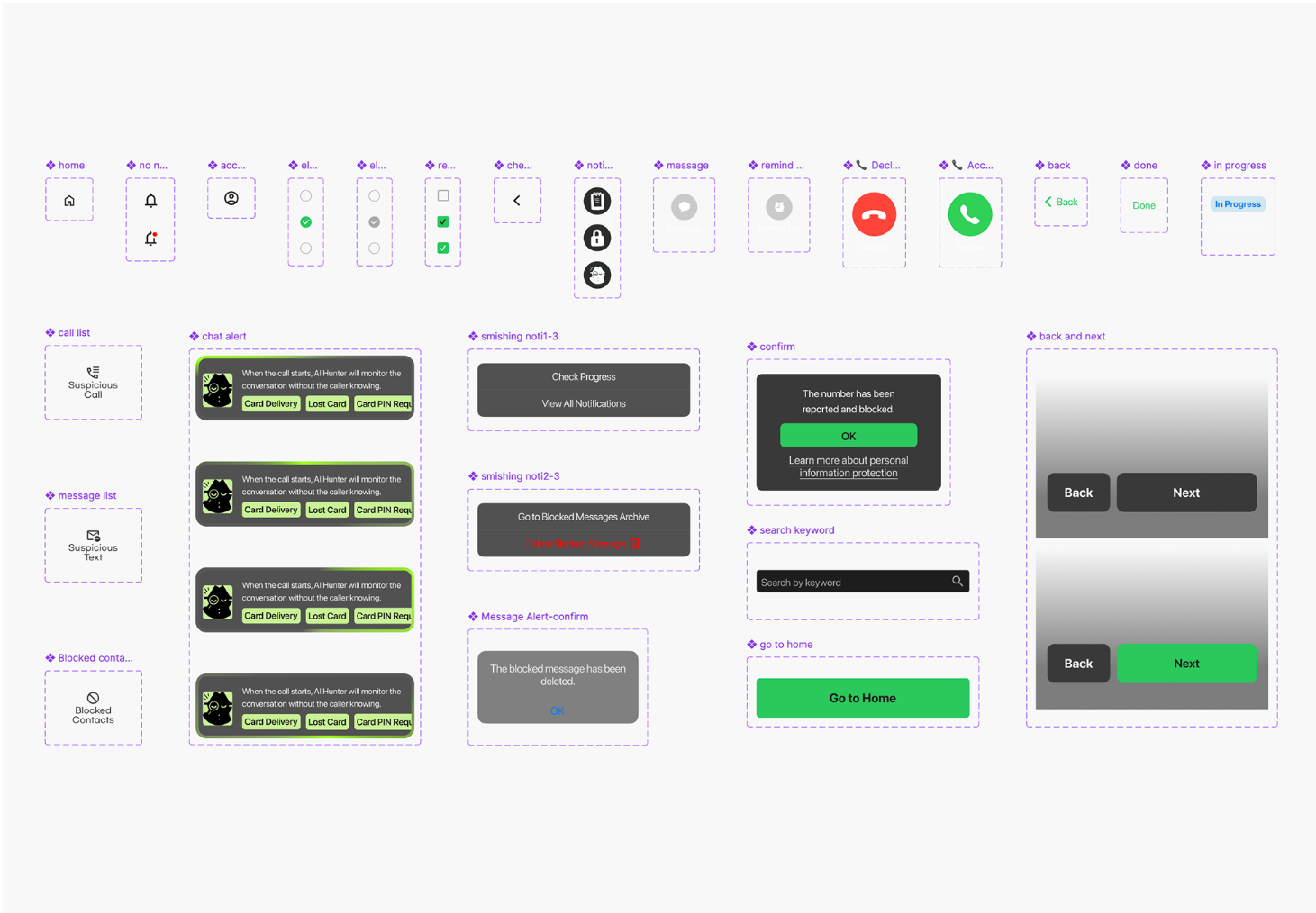
05. Warning Signs
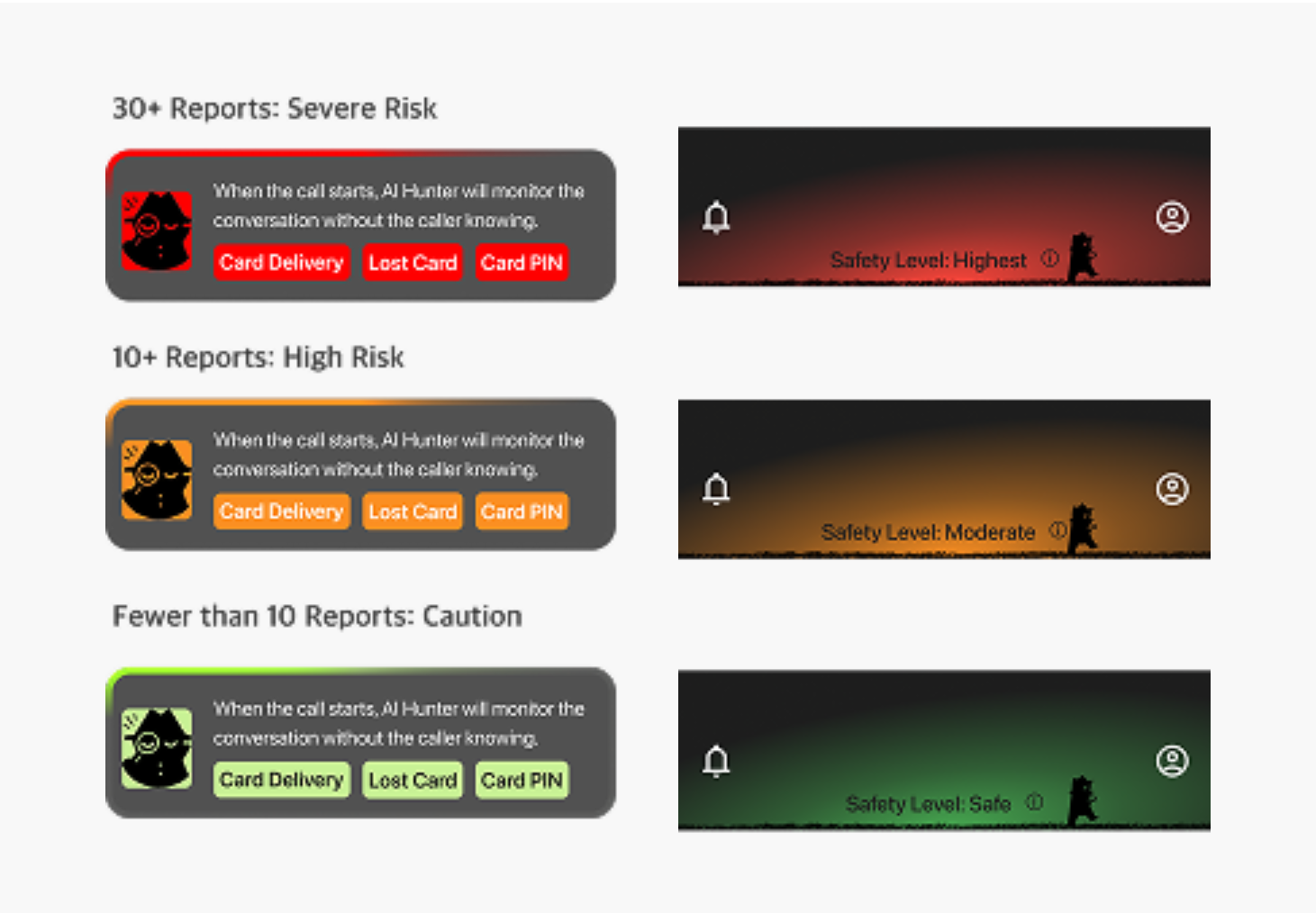
06. Light/Dark Mode
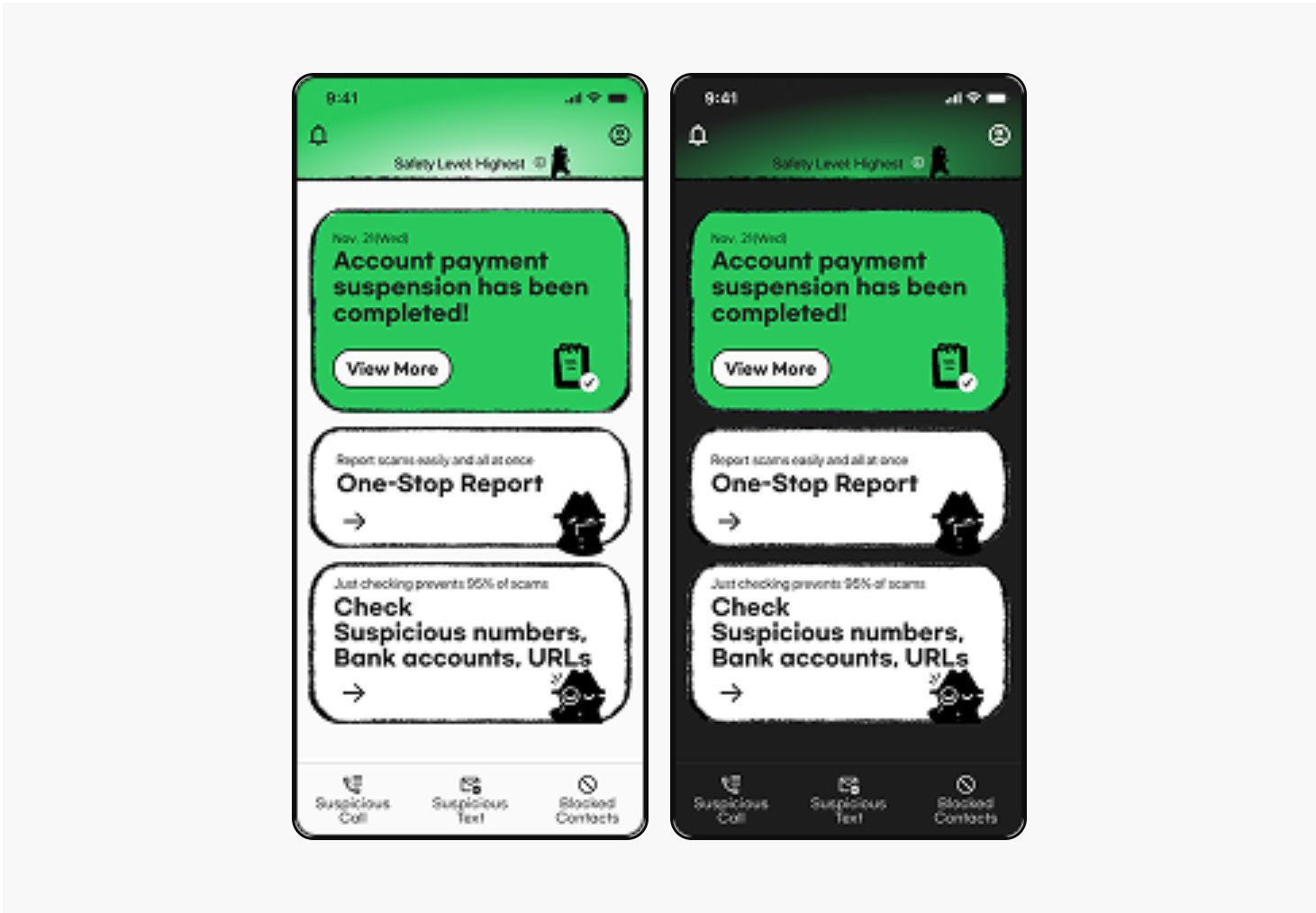
Final Designs
Detecting and Preventing Voice Phishing Scams
Alerting
AI Detects Different Warning Signs Based on Report History
The AI provides different warning signs based on the number of scam reports associated with the caller. When the risk is high, the system automatically ends the call and seamlessly guides users into the reporting flow.
One-Stop Report
Fast and Simple Reporting
Post-incident, users can quickly report a scam from the home screen by filling in the report details. Once the report is completed, they can access More on anti-phishing services to check My Report Status and follow next steps.
Tracking
Stay Informed, Stay Reassured
After submitting a report, users receive real-time updates on its progress. Clear notifications help users understand which stage their case is in, providing reassurance and transparency even after the report is completed.
Notification
Immediate Updates, No Guesswork
Phishing Hunter sends clear, real-time notifications when action is needed. Even after an incident, users stay informed and reassured through proactive alerts.
Usability Test
Evaluating and Improving Experience
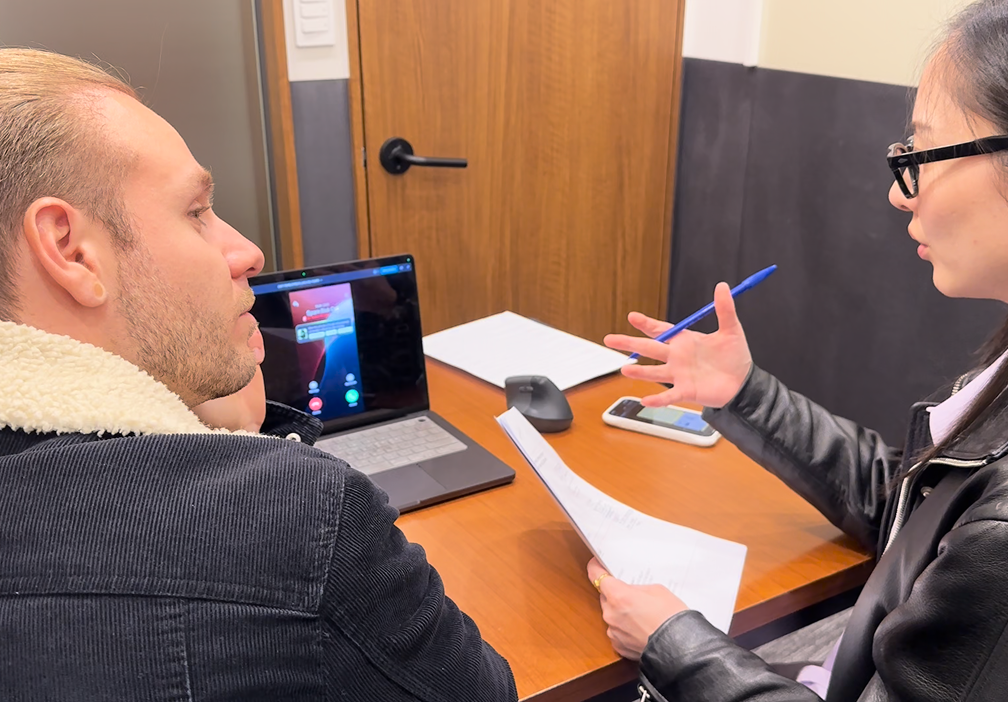
We conducted a usability test with 8 participants across 4 tasks to observe how users interacted with the product in real scenarios.
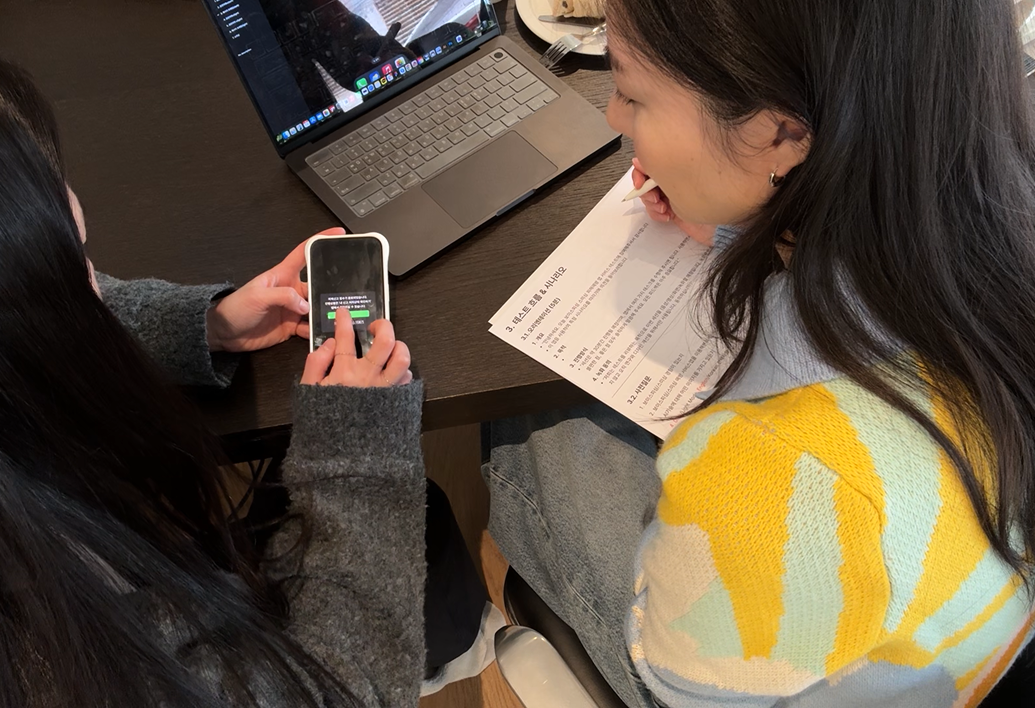
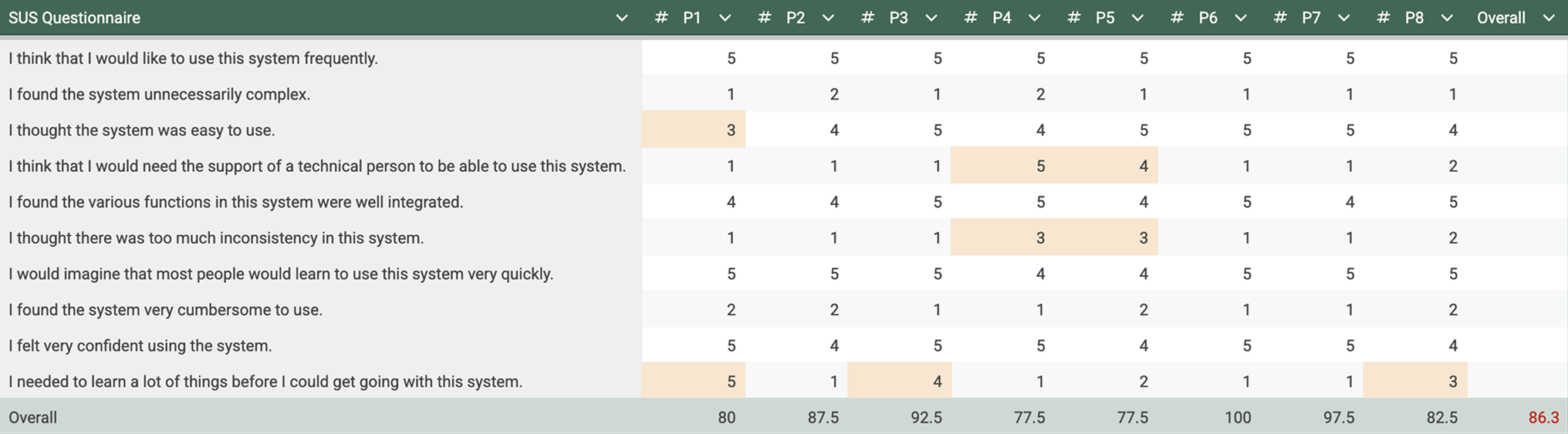
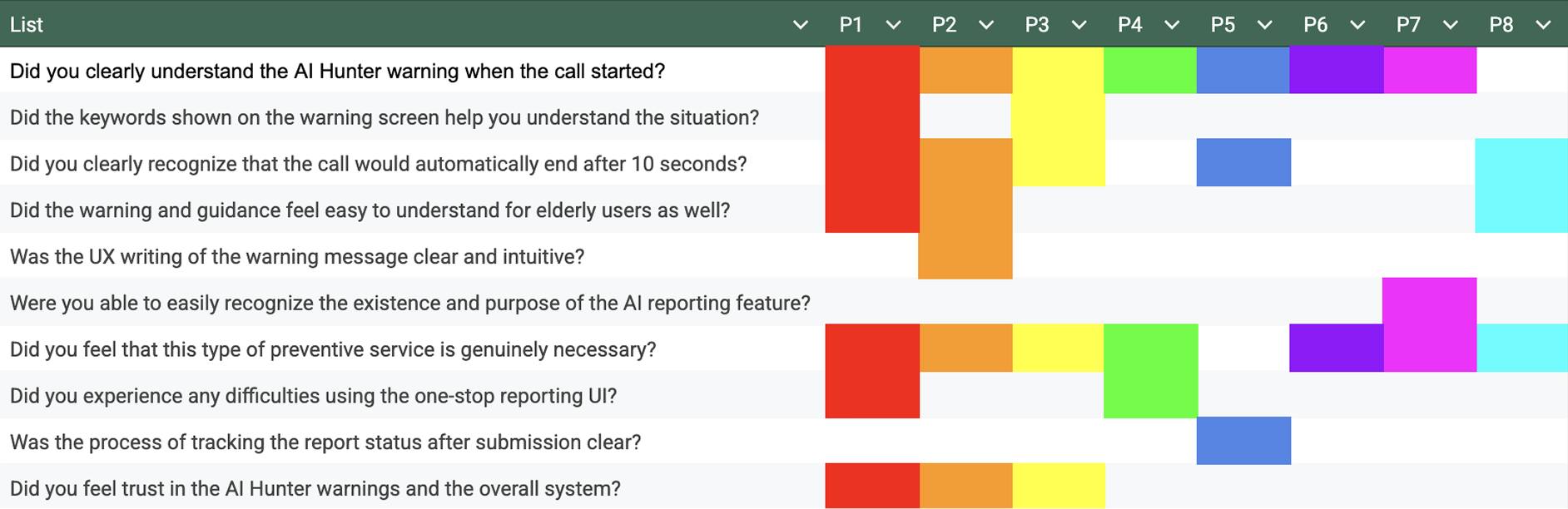
With an average SUS score of 86.3, Phishing Hunter achieved an excellent usability rating. However, a few specific things received relatively lower scores. We looked deeper into these responses to understand why users felt uncertain in those areas.
Takeaways
What I Focused On
01Understanding Hidden Pain Points
Users often explain what feels difficult, but the real problems are not always clearly stated. By looking beyond words and focusing on user behavior and data, I learned how to uncover deeper pain points that users may not be aware of themselves.
02Understanding the Role of Technology
I realized how technologies like AI, ML, DL and NLP help detect scam patterns that people often miss. Instead of focusing only on screens and UI, I began to think about scam prevention as a system that can spot risks early and step in at the right moment to protect users.
03Designing Within Technical and Policy Constraints
Working on a finance-related domain helped me understand how much design is affected by technical limits and rules. I learned that good UX design is not only about how things look, but about making thoughtful decisions that also consider technology, security, and policies.